How to Get Your First 100 Sales on Amazon: No-Fluff Playbook
Most new Amazon sellers make the same mistake: they launch a product, run some ads, and wait. A week later, nothing. Two weeks later, still nothing. The listing sits there with zero momentum while competitors pull ahead.
Getting your first 100 sales on Amazon is not about luck. It is about executing the right steps in the right order — listing, pricing, keywords, PPC, and reviews — all working together from day one.
This guide breaks down exactly how to get sales on Amazon without wasting money on traffic that your listing cannot convert. Whether you are launching your first product or restarting a stalled one, this Amazon product launch strategy gives you a clear, step-by-step path to your first 100 orders. Knowing how to get sales on Amazon starts with knowing which keywords your buyers actually search before they purchase.
Need help launching your first product? Get a free Amazon growth audit from ScaleA2Z before spending on PPC.
Table of Contents
Why Your First 100 Amazon Sales Matter More Than You Think
Most sellers treat the first 100 orders as a milestone. Amazon treats them as a signal. Before your listing earns consistent organic visibility, every sale you generate teaches the algorithm whether your product deserves to rank and how prominently. Understanding why that early window matters changes how you approach every decision that follows.
How Amazon Rewards Early Sales Momentum
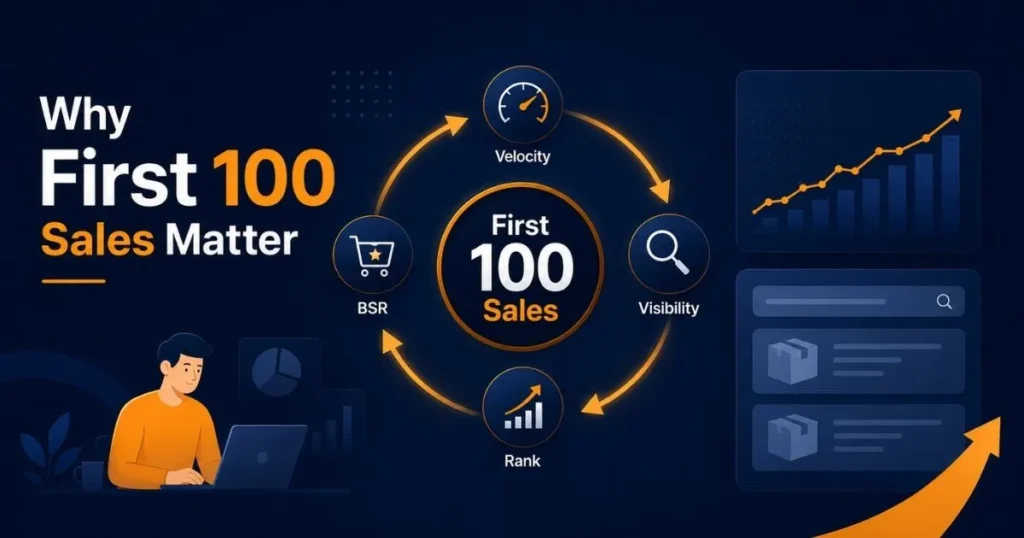
Amazon’s ranking system heavily rewards relevance, conversion performance, and sales momentum. Sales velocity is one of the strongest early signals during launch. The more relevant sales your listing generates, the stronger its chances of earning better visibility over time. It is not automatic, but momentum matters.
When you launch a new product, your listing starts with no sales history, no reviews, and no ranking. Amazon has no reason to show it to buyers. The only way to break this cycle is to generate sales fast, and that is why your first 100 orders are so critical.
Every sale tells Amazon’s algorithm that your product is relevant, that buyers want it, and that it deserves to appear higher in search results. More visibility means more clicks. More clicks mean more sales. This is how momentum builds.
BSR, Organic Rank, and the Amazon Flywheel Effect
Your Best Seller Rank (BSR) updates every hour. Every sale pushes your BSR lower, which is better and signals to Amazon that your product is worth ranking.
As sales improve, your BSR can improve. Better sales performance can also support organic ranking when your listing converts well for relevant keywords. As your organic rank improves, more shoppers find your listing without you paying for every click. This is the Amazon flywheel effect, and your first 100 sales on Amazon are what start it spinning.
Without those early sales, the flywheel never starts. With them, every subsequent sale becomes easier and cheaper to earn.
Validate Your Product Before You Spend on Traffic
The most expensive PPC campaigns are the ones launched on the wrong product. Before you write a single bullet point or set a single bid, you need to confirm that enough buyers exist, that you can compete, and that your margins leave room to advertise profitably. Skipping this step does not save time it costs money you cannot recover.
Check Demand, Competition, and Profit Margin
Before spending a single dollar on advertising, confirm three things: enough buyers exist in your category, competition is not so strong that you cannot compete, and your margins leave room for ad spend.
Use tools like Helium 10 or Jungle Scout to check the monthly search volume for your main keywords. If the top keywords in your niche get fewer than 1,000 searches per month, the market may be too small. If every competitor has thousands of reviews and thin margins, entering that space as a new seller will be expensive and slow.
A product with strong demand, manageable competition, and at least 30% gross margin before advertising is a product worth launching.
Make Sure Your Offer Is Strong Enough to Win Early Buyers
Validation is not just about numbers. It is about your offer. Look at the top three listings in your category. What do buyers complain about in the reviews?
If you can solve those problems and present your product more clearly than your competitors, you have a real chance. If your product is identical to everything else on page one with no visible difference, getting your first 100 sales on Amazon will cost more than your margins can handle. Fix the offer before you fix the ads.
Build an Amazon Listing That Actually Converts
Traffic without conversion is just an expense. Before you spend a dollar driving buyers to your listing, the listing itself needs to be built to close the sale. Every element — title, bullets, images, backend terms, and A+ Content either earns the click or loses it. This section covers each one in the order that matters most.
Amazon Listing Optimization: Title, Bullets, and Description
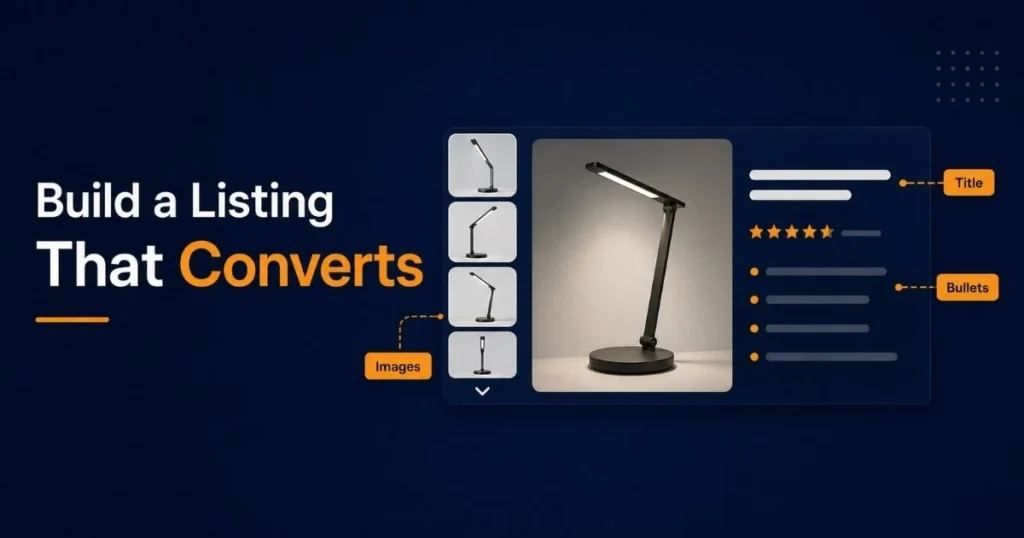
Amazon listing optimization starts with your title. Your title should include your primary keyword, your main benefit, and enough detail to help the buyer understand exactly what they are getting, all within Amazon’s character limits.
Your bullet points are where you convert interest into intent. Each bullet should address one specific benefit or concern. Lead with the benefit, support it with a feature, and end with how it improves the buyer’s life. Avoid vague language like “high quality” or “best in class.” Buyers ignore these because every listing says the same thing.
Your product description should reinforce the bullets, not repeat them. Use it to handle objections, set expectations, and reassure the buyer that they are making the right decision.
Backend Search Terms and Keyword Indexing
Backend search terms are invisible to shoppers but critical for indexing. Amazon uses them to understand which searches your product is relevant for.
Fill all five backend keyword fields. Do not repeat keywords already in your title or bullets. Amazon already indexes those. Use synonyms, alternate spellings, and long-tail variations that buyers search for, but that did not fit naturally in your visible copy.
Use spaces between keywords, not commas. Amazon reads them without separators, and commas can waste character space.
Amazon A+ Content — Is It Worth It at Launch?
Yes — if you are brand registered. Amazon A+ Content replaces your plain text description with visual modules, comparison charts, lifestyle images, and enhanced brand storytelling.
A+ Content can support conversion by giving shoppers more product detail, comparison visuals, and brand context before they leave the page. At launch, when every click costs money, a higher conversion rate means your PPC budget goes further. Set it up before you start driving traffic, not after.
Images That Stop the Scroll and Increase Conversion Rate
Your main image is your first impression in search results. It needs to be clean, high-resolution, and show the product clearly on a white background. Amazon requires this.
Your secondary images are where you sell. Use them to show scale, lifestyle context, key features, and comparison infographics that answer buyer questions before they have to ask. A listing with seven strong images consistently outperforms one with three generic product shots. Treat your image stack as a silent sales team.
Find the Right Keywords Before Launching PPC
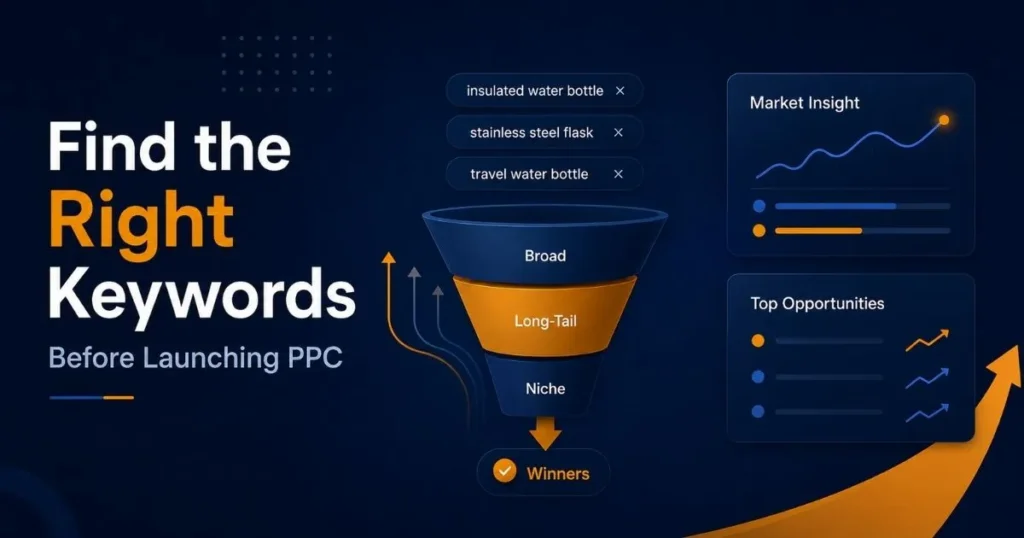
Most new sellers launch PPC and discover their keywords through trial and error, and wasted spend. A better approach is to do the keyword work before the campaigns go live. Knowing which terms show real buying intent and which ones just generate clicks gives your launch a foundation that auto campaigns alone cannot build.
Start With Long-Tail Keywords That Show Buying Intent
New sellers often make the mistake of targeting the highest-volume keywords in their category from day one. These keywords are dominated by established listings with thousands of reviews and strong conversion history. You will spend heavily and win rarely.
Long-tail keywords, three to five words, are more specific, have lower search volume, and convert better because they attract buyers who know exactly what they want. A buyer searching “stainless steel insulated water bottle 32oz leak proof” is far closer to purchasing than one searching “water bottle.”
Build your early keyword strategy around terms you can actually compete on. Win there first.
Separate Listing Keywords From PPC Testing Keywords
Your listing should be optimized for the keywords that best describe your product and match buyer intent. These are your ranking keywords, the terms you want to own organically over time.
Your PPC keywords are a broader testing pool. You run ads across a wider set of terms to discover which ones actually convert for your specific product, then use that real data to refine your listing further.
These two lists should not be identical. Mixing them produces over-optimized listings that read like keyword soup and convert poorly.
Use Competitor Listings to Find Keyword Gaps
Look at your top three competitors and identify keywords they are not targeting well. Run their ASINs through a reverse ASIN lookup tool to see which search terms are driving their traffic.
If a competitor ranks on page one for a term but their listing barely mentions it, that is an opening. Build your listing around it and structure your early PPC to test it aggressively.
Price Strategically to Win Early Buyers
Price is the fastest lever a new seller controls. You cannot manufacture reviews overnight, and ranking takes time, but you can set a price that removes friction for first-time buyers right now. The goal is not to be the cheapest option. The goal is to be the most obvious choice at the stage when your listing has the least social proof.
Competitive Pricing vs. Profit
Your launch price does not need to be your permanent price. Many successful sellers launch 10–15% below the average price in their category to remove price as a barrier for first-time buyers.
This is not about racing to the bottom. It is about reducing friction during the period when your listing has no reviews and no ranking to justify a premium. Once you have 20–30 reviews and a visible BSR improvement, you can raise your price gradually without losing conversion momentum.
Coupons, Introductory Offers, and Launch Discounts
Amazon’s coupon badge appears directly in search results and draws attention to your listing before a buyer even clicks. A 5–10% coupon costs very little per unit but can meaningfully increase your click-through rate during launch.
Lightning Deals may become an option once your product has enough sales history and eligibility, but new sellers should focus first on coupons, launch pricing, and conversion improvement. They drive volume fast and push your BSR in a concentrated window, which Amazon’s algorithm notices and rewards with additional organic visibility.
Launch With Sponsored Products the Right Way
PPC does not replace a strong listing or competitive pricing. But it does give a new product something organic ranking cannot offer at launch immediate placement in front of buyers who are already searching. Structured correctly from day one, Sponsored Products campaigns do more than generate early sales; they produce the data that makes every subsequent decision smarter.
Why PPC Is Non-Negotiable During Your Amazon Product Launch
Organic ranking takes time. Reviews take time. BSR takes time. PPC gives you none of those things, but it gives you something more valuable at launch: immediate visibility.
Sponsored Products ads place your listing in front of buyers actively searching for what you sell. Every sale generated through PPC improves your BSR, which improves your organic rank, which reduces how much you need to spend on ads over time. This compounding effect is why PPC is essential for efficiently reaching your first 100 sales on Amazon, not just a nice-to-have
Auto vs Manual Campaigns at Launch
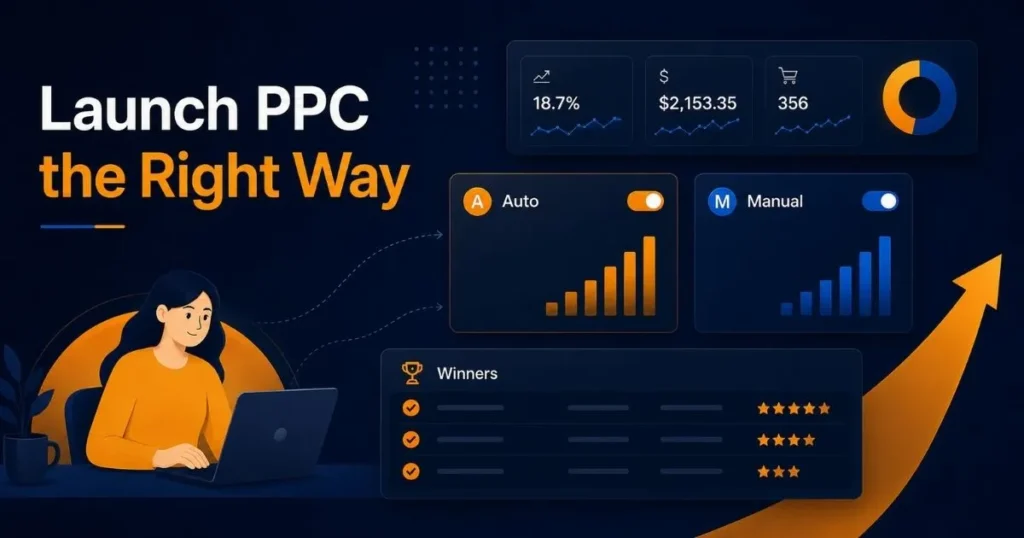
Start with one auto campaign and one manual campaign running simultaneously.
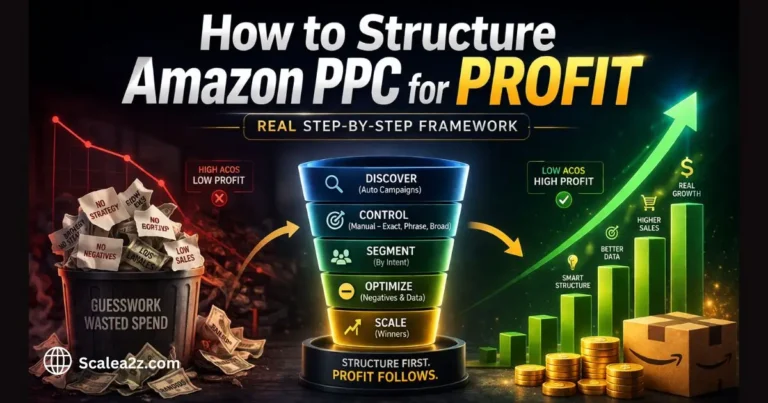
Your auto campaign lets Amazon match your listing to relevant search terms across all match types. If you want a deeper breakdown, read our guide on how to structure Amazon PPC for profit. You are not in full control of placement but you are collecting real data. After 7–10 days, your search term report will show exactly which terms are generating clicks and conversions.
Your manual campaign starts with the long-tail keywords you identified in Step 3. Keep bids conservative. The goal in the first two weeks is data collection, not domination.
How to Identify Winning Keywords From Launch Data
After two weeks, pull your search term report. Look for terms with three or more clicks and at least one conversion — these are your early winners. Move them into a dedicated manual campaign where you have tighter control over bids and daily budgets.
Terms with many clicks and zero conversions are draining your launch budget without contributing to your first 100 orders. Lower their bids significantly or pause them entirely.
How Negative Keywords Keep Launch PPC From Wasting Budget
Add irrelevant search terms as negative keywords from the start. If you are selling a dog collar and your auto campaign is matching “cat collar,” every click there is wasted spend. Review your search term report weekly and add negatives as you find them.
This is not advanced campaign management — it is basic launch hygiene that keeps your budget focused on buyers who are likely to convert.
How ScaleA2Z Structures Launch PPC for New Sellers
At ScaleA2Z, our Amazon PPC management for new sellers follows a data-first approach. We build a clean campaign structure from day one, with auto and manual campaigns properly separated, budgets allocated based on product category and competition, and weekly bid reviews driven by actual search term performance data.
Rather than guessing which keywords to target, we use data-driven analysis to identify winning terms early and eliminate wasted spend fast. This structured approach consistently helps new sellers reach their first 100 sales on Amazon without burning through their launch budget in the first two weeks.
Drive External Traffic Without Hurting Conversion Rate
Amazon rewards listings that attract demand from outside the platform. But sending unqualified traffic directly to your listing can hurt the conversion signals Amazon tracks. The key is to drive external traffic strategically through the right channels, to the right destination, with enough intent filtering to protect your conversion rate while building velocity.
Social Media, Influencers, and Email Lists
External traffic can accelerate your first 100 orders if used correctly. If you have an existing audience email list, social media following, or access to micro-influencers in your niche, activating them at launch is one of the highest-ROI moves available to a new seller.
Micro-influencers with 5,000–50,000 engaged followers in relevant niches often convert better than large influencers because their audiences trust their recommendations. A single post from the right creator can drive 20–30 orders within 24 hours and push your BSR meaningfully.
How External Traffic Can Support Sales Velocity and Organic Rank
When buyers land on your Amazon listing from an external source, such as Instagram, TikTok, an email campaign, or YouTube, and complete a purchase, Amazon records that attributed sale. If that traffic converts well, it can support sales velocity and may help your listing build stronger performance signals over time.
This is not a guaranteed ranking shortcut. But consistent external traffic combined with strong conversion rates sends positive signals that internal PPC alone cannot fully replicate.
Use Landing Pages or Amazon Attribution When Possible
Instead of sending external traffic directly to your listing, consider routing it through a landing page first. This lets you capture buyer emails before the purchase, build a retargeting audience, and filter out low-intent clicks that would hurt your listing’s conversion rate.
Amazon Attribution is a free tool that tracks which external channels are driving your Amazon sales. Use it from day one so you know which sources are worth scaling and which are not.
Get Reviews Without Breaking Amazon's Rules
Reviews are the single biggest trust signal on Amazon and also the area where new sellers most often make mistakes that result in listing suppression or account suspension. The good news is that Amazon’s compliant tools for generating early reviews are more effective than most sellers realize. You just need to use them correctly and consistently.
Amazon Vine vs. Request a Review
Amazon Vine is available to brand-registered sellers with fewer than 30 reviews on a listing. You enroll your ASIN, provide free units, and Amazon’s Vine Voices leave verified reviews. Amazon Vine may include enrollment fees depending on the marketplace and program terms, and it can help eligible brand-registered sellers generate early review volume and more social proof than most new listings have at launch.
For sellers who are not brand registered, the Request a Review button inside Seller Central is your primary tool. Use it on every order within 5–30 days of delivery. It sends a standardized Amazon-approved review request, with no custom messaging, fully compliant.
Why Amazon Removed the Early Reviewer Program
Amazon shut down the Early Reviewer Program in 2021. It is no longer available. The current compliant options are Vine (for brand-registered sellers) and the Request a Review button (available to all sellers).
Do not use any third-party service that offers paid, incentivized, or exchanged reviews. Amazon’s detection systems are sophisticated and improving. The consequences of listing suppression or account suspension will cost far more than whatever sales you were trying to accelerate.
Follow-Up Sequences That Stay Compliant in 2026
Every message must comply with Amazon’s communication guidelines. You cannot request a positive review specifically — you can request a review generally. Tools like Helium 10’s Follow-Up or Jungle Scout’s Review Automation trigger the native Request a Review action automatically at scale. They operate within Amazon’s own system, making them fully compliant and effective.
FBA vs FBM: Which Gets You to 100 Sales Faster?
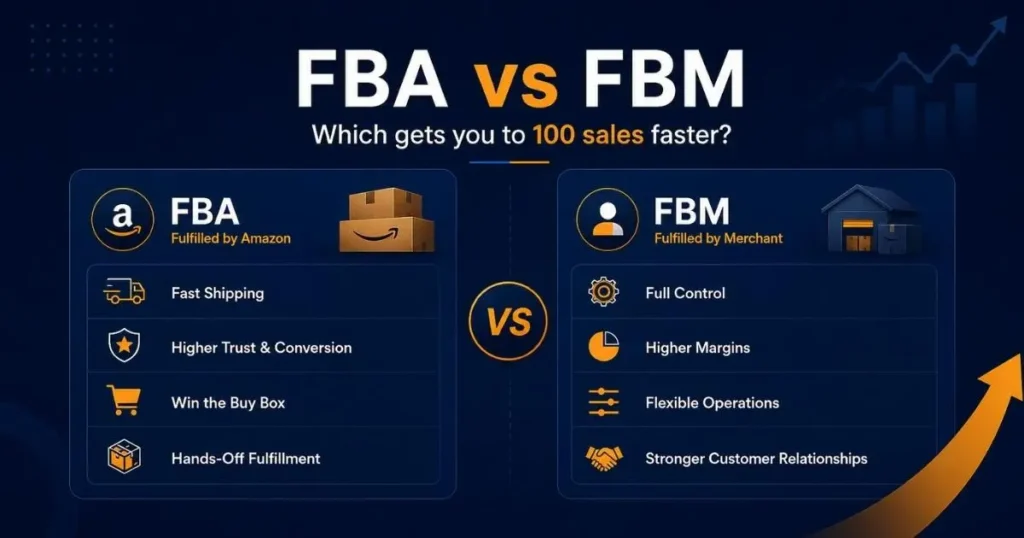
Fulfillment method affects more than shipping speed. It affects your buy box eligibility, your Prime badge, your conversion rate, and how quickly you can build the sales velocity your launch depends on. For most new sellers, the choice between FBA and FBM comes down to product type, margin structure, and how fast you need to move.
Why FBA Usually Helps New Sellers Convert Faster
Fulfillment by Amazon (FBA) means Amazon stores, picks, packs, and ships your product. Your listing becomes Prime-eligible, and the Prime badge alone can significantly increase conversion rate because buyers trust fast, free delivery.
For most new sellers, FBA is the faster path to early sales. You remove shipping friction, gain Prime visibility, and let Amazon handle customer service for fulfillment-related issues. Less friction at the point of purchase means more conversions from the same traffic.
When FBM Still Makes Sense
Fulfillment by Merchant (FBM) makes sense when your product is oversized, your margins are too thin to absorb FBA fees, or you have a fulfillment operation that can reliably match Prime-equivalent shipping speeds.
Some sellers run FBA and FBM simultaneously, with FBA as the primary channel and FBM as a backup if FBA stock runs out during launch. This protects against stockouts in the window when maintaining momentum matters most.
Track the Metrics That Decide Whether You Reach 100 Sales
Data without context leads to bad decisions. New sellers often optimize based on the wrong metrics at the wrong time, pausing keywords too early, changing listings too often, or scaling spend before the listing can convert. Knowing which numbers to watch, what they actually mean, and when to act on them is what separates sellers who reach 100 orders from those who burn through their launch budget first.
CTR, CVR, Sessions, and Unit Session Percentage
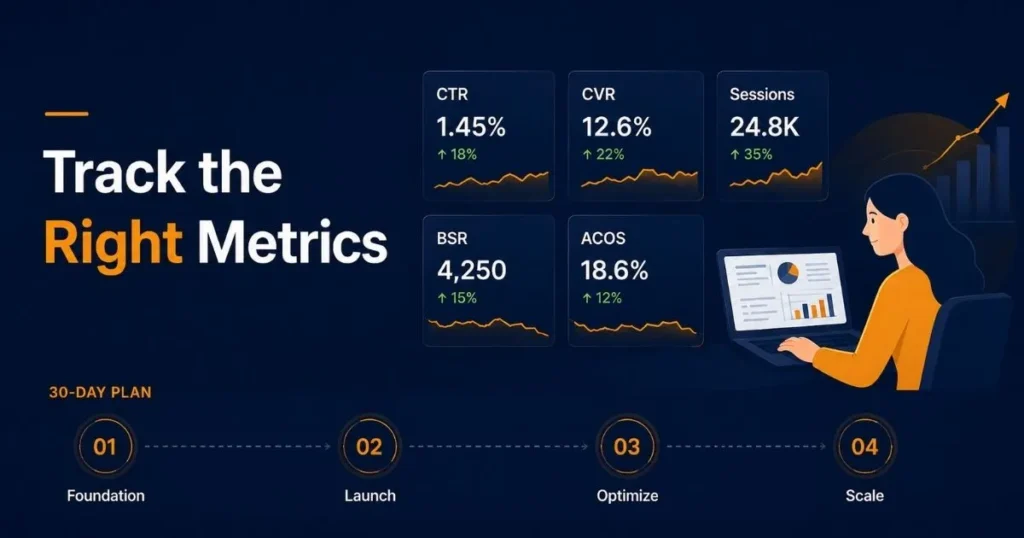
Your click-through rate (CTR) tells you whether your main image and title are compelling enough to earn clicks from search results. If your CTR is consistently lower than similar products in your category, your main image or price needs attention before you scale spend.
Your conversion rate (CVR) tells you whether your listing converts the clicks it receives. Conversion rate varies by category, price point, review count, and product type. If your unit session percentage is consistently weak, fix your listing before increasing your PPC budget. More traffic will not solve a conversion problem.
Unit Session Percentage in your Seller Central Business Reports is Amazon’s native version of conversion rate. Track it weekly, not daily. Daily fluctuations are statistical noise.
Key Launch Metrics to Monitor in Your First 30 Days
In your first 30 days, watch four numbers consistently: sessions (total traffic volume), unit session percentage (conversion rate), ad spend versus attributed sales, and your BSR trajectory.
If sessions are growing but unit session percentage is falling, your listing has a conversion problem, not a traffic problem. If sessions are flat despite active PPC, your bids may be too low, or your listing is losing the buy box to a competing seller.
When to Optimize and When to Wait for More Data
New sellers optimize too early. Pausing a keyword after five clicks and zero conversions is statistically meaningless. You do not have enough data to make that call yet. Give each keyword at least 15–20 clicks before making a bid or pause decision.
The same discipline applies to listing changes. Changing your title, bullets, and images simultaneously makes it impossible to determine which change affected performance. Test one element at a time and give each change 7–10 days to show results.
A 30-Day Plan to Get Your First 100 Sales on Amazon
Every step covered in this guide fits inside a 30-day window. The sequence matters as much as the individual actions — starting with the wrong thing at the wrong time is what causes most launch failures. This plan maps each action to the right week so nothing runs before it is ready and nothing gets delayed longer than necessary.
Days 1–7: Fix Listing, Keywords, Pricing, and Inventory
Before a single ad goes live, your foundation needs to be solid. In the first seven days, complete your listing title, bullets, backend keywords, A+ Content, and seven strong images. Confirm your pricing is competitive within your category. Enroll in Vine if you are brand registered. And make sure you have enough inventory to sustain 30 days of consistent sales without going out of stock.
Launching PPC against an incomplete listing is the single most common and most expensive mistake new sellers make.
Days 8–15: Launch PPC and Start Collecting Search Term Data
On day eight, launch your auto and manual Sponsored Products campaigns. Keep daily budgets conservative enough to generate 8–12 clicks per day across both campaigns. Your goal this week is data, not aggressive sales volume.
By day 15, you should have enough search term data to identify your first set of converting keywords and your first set of irrelevant terms to exclude as negatives.
Days 16–23: Cut Waste and Push Winning Keywords
Pull your search term report. Move converting terms from auto into a manual campaign where you control the bids more precisely. Add irrelevant terms as negative keywords. Lower bids on high-spend, zero-conversion keywords rather than pausing them outright — some need more time to show conversion patterns.
This is where your Amazon product launch strategy starts to become efficient. You are not spending less, you are spending smarter in terms that actually produce sales.
Days 24–30: Scale What Is Working
By day 24, you should have a clear picture of which keywords drive conversions and what your listing’s natural conversion rate looks like. Increase daily budgets on campaigns that are converting at an acceptable efficiency. Request reviews on every delivered order. If Vine reviews are still pending, follow up through your brand dashboard.
| Timeline | Main Focus | Key Actions | Goal |
|---|---|---|---|
| Days 1–7 | Foundation Setup | Optimize listing, keywords, pricing, images, A+ Content, and inventory | Prepare the listing to convert traffic |
| Days 8–15 | PPC Launch | Start auto and manual Sponsored Products campaigns | Collect search term and conversion data |
| Days 16–23 | Optimization | Add negatives, move winners to manual campaigns, adjust bids | Reduce wasted spend and push converting terms |
| Days 24–30 | Scaling | Increase budgets on winners, request reviews, monitor inventory | Move closer to the first 100 Amazon sales |
Common Mistakes That Kill Your First 100 Sales on Amazon
- Ignoring Amazon SEO at Launch: Amazon SEO is not something you optimize after launch. If your listing is not indexed for the right keywords before you start driving traffic, your ad spend lands on a listing that Amazon does not associate with your target search queries. Complete your keyword research, optimize your title and backend terms, and confirm your listing is indexed before running a single ad.
- Running PPC Before the Listing Can Convert: Sending paid traffic to a listing with weak images, thin bullet points, and no A+ Content is burning money. Every click that does not convert signals to Amazon’s algorithm that your listing is less relevant, which raises your ad costs over time. Fix the listing first. Then run ads. Already running ads on a weak listing? Read: Amazon PPC not profitable — 7 reasons and how to fix it. Fix the listing first. Then run ads. The sequence matters.
- Underestimating the Buy Box: If you are not winning the buy box, your Sponsored Products ads may not show, and organic buyers who click your listing may end up purchasing from a different seller. Monitor your buy box percentage in Seller Central. For FBA sellers, winning the buy box is typically automatic unless there are pricing or account performance issues.
- Going Out of Stock Too Early: Running out of inventory resets your BSR and can drop your organic rank significantly. The momentum you built during launch disappears fast when your listing goes inactive, and rebuilding it costs as much as the initial launch. Calculate your sell-through rate during the first two weeks. Place your reorder before you have fewer than 30 days of inventory remaining.
- Chasing Sales Velocity Without Watching Profitability: Some sellers pause everything that is not immediately profitable from day one. This kills launch momentum. In your first 30 days, building sales velocity matters more than achieving perfect ad efficiency. The BSR gains and organic ranking improvements earned through early sales have long-term compounding value that does not appear on your ad dashboard.
How ScaleA2Z Helps New Sellers Launch and Scale on Amazon
At ScaleA2Z, we work with new Amazon sellers who want a structured, data-driven path to early momentum without the costly trial and error that eats into launch budgets.
Listing Optimization Built for Conversion
Our team handles complete Amazon listing optimization from keyword research and title structure to A+ Content and image briefs. Every element is built to convert the traffic your PPC campaigns send, not just attract it.
Launch PPC Setup and Weekly Optimization
We build and manage your Sponsored Products campaigns from day one. Clean campaign structure, weekly search term reviews, bid adjustments based on real performance data, and ongoing negative keyword management all handled so you can focus on your product, not your ad dashboard.
Full Amazon Account Management for New Sellers
For sellers who want end-to-end support, our full Amazon account management service covers launch planning, PPC, listing optimization, reporting, and growth. If you want to know how to get sales on Amazon the right way from your very first product, we can build that system for you.
Conclusion
Getting your first 100 sales on Amazon is not a single action — it is a sequence. Product validation, Amazon listing optimization, keyword research, strategic pricing, structured PPC, and review generation all have to work together from the start.
The sellers who reach 100 orders fastest are not the ones with the biggest budgets. They are the ones who built a solid foundation before spending on traffic and executed each step in the right order.
Launch your first Amazon product with ScaleA2Z. Get a free listing audit and PPC setup consultation, no commitment required.
FAQ — Your First 100 Amazon Sales Answered
How long does it take to get your first 100 sales on Amazon?
Most new sellers reach their first 100 sales on Amazon within 30–60 days when they launch with a complete listing, competitive pricing, and active PPC from day one. Products in high-demand, low-competition categories can get there faster. Saturated categories with established competitors typically take longer.
Can I get my first 100 Amazon sales without PPC?
It is possible, but significantly slower. Without PPC, your listing has no visibility until it ranks organically, which requires sales history you do not yet have. External traffic through social media or influencers can partially replace PPC, but for most new sellers, Sponsored Products is the most reliable and scalable path to early momentum.
What should I optimize first — listing, price, or PPC?
Always start with the listing. Strong Amazon listing optimization title, bullets, images, and A+ Content is the foundation that everything else builds on. Once your listing can convert, set a competitive price. Then launch PPC. Running ads to a weak listing wastes your budget and sends negative conversion signals to Amazon’s algorithm.
Why am I getting clicks but no sales on Amazon?
Clicks without sales almost always point to a listing conversion problem. The most common causes: main image not matching buyer expectations set by the ad, price significantly higher than competing listings, bullet points that do not address real buyer concerns, weak secondary images, or missing A+ Content. Audit your listing against your top three competitors and identify exactly where yours falls short.
Is FBA better than FBM for new Amazon sellers?
For most new sellers, FBA is the better starting point. The Prime badge removes friction at the point of purchase, and Amazon handles fulfillment-related customer service. FBM makes sense if your product is oversized, your margins cannot absorb FBA fees, or you already have a fulfillment operation capable of delivering at Prime-equivalent speed.