Placement Optimization Strategy for Amazon PPC Sellers
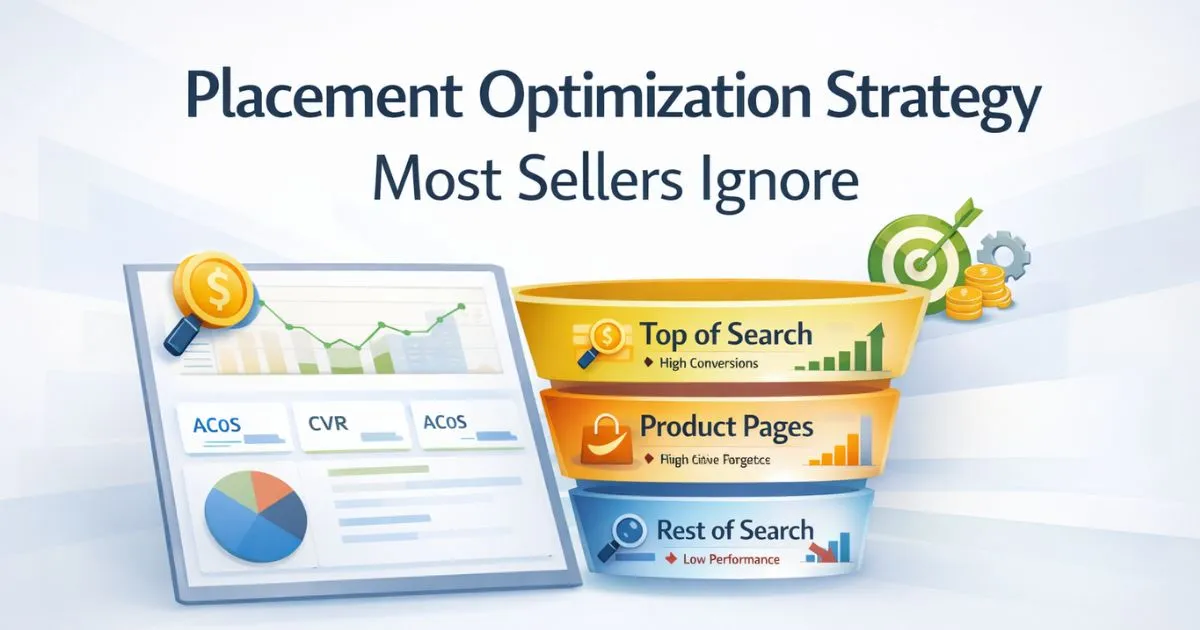
Most Amazon sellers focus heavily on keywords, bids, and match types — but ignore how powerful ad placement can be in PPC. That’s why many campaigns generate traffic but fail to convert profitably. The real issue is often not what you’re targeting, but where your ads appear. A proper placement optimization strategy helps you control visibility across Top of Search, Product Pages, and Rest of Search, so budget flows toward placements that drive conversions and profitable growth.
Quick Answer
A proper placement optimization strategy focuses on improving where your Amazon ads appear, not just what keywords they target.
- Increase bids for placements that convert profitably
- Reduce spend on low-performing placements like Rest of Search
- Use Top of Search only when conversion data supports it
- Test Product Pages for competitor targeting and defense
- Review placement performance regularly before scaling
This approach improves conversion rates and reduces wasted ad spend without changing keywords.
Table of Contents
What Is Placement Optimization Strategy
A placement optimization strategy is about controlling where your ads appear on Amazon, not just what they target. Your keyword bid determines auction competitiveness. Your placement multiplier determines how much extra you’re willing to pay to win a specific zone. These are two separate controls — adjusting one doesn’t fix the other.
A seller might have a perfectly optimized bid of $1.50 — but if their ad keeps landing in Rest of Search because they haven’t set placement adjustments, they’re getting low-intent traffic. Meanwhile, a competitor with a lower base bid but a 50% TOS multiplier is winning Top of Search and converting at 2–3x the rate.
The same keyword can perform very differently depending on placement. A term like “yoga mat” at TOS might convert at 12–15%, while the same keyword at ROS may convert at only 3–4%. Same keyword, same product — but a completely different buyer mindset. This is why the placement optimization strategy needs separate focus from keyword bidding.
The 3 Placement Types — What Each One Does
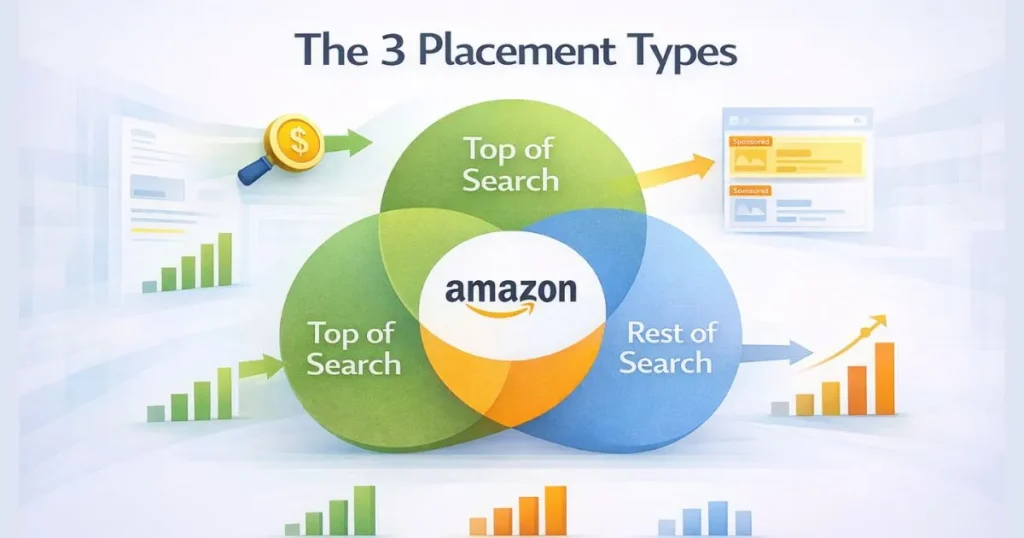
Top of Search (TOS): First few ads above all organic results on page one. Highest intent buyers, highest CVR, highest CPCs. Worth it only when the listing is conversion-ready, and data supports the premium.
Product Detail Pages (PP): Ads appearing on competitor listings where buyers are actively comparing options. Lower CPCs than TOS, strong conversion potential, and excellent for both offensive targeting and defensive protection of your own ASINs.
Rest of Search (ROS): Everything else: middle of page, bottom of page, page two onwards. Lowest intent, lowest CVR. Useful for discovery and awareness, but a budget drain for profit-focused campaigns.
Understanding these three zones is the foundation of any serious Amazon ad placement strategy — each one attracts a fundamentally different buyer at a different stage.
Placement Comparison:
| Placement | Buyer Intent | CPC | Conversion |
|---|---|---|---|
| Top of Search | High | High | High |
| Product Pages | Medium | Medium | Medium |
| Rest of Search | Low | Low | Low |
The Placement Report: What the Numbers Are Really Saying
Go to Campaign Manager → select a campaign → click the Placements tab. You’ll see impressions, clicks, spend, sales, and ACoS split across TOS, PP, and ROS. This is where a real placement optimization strategy starts. Impression Share tells you where your budget is defaulting. If 80% of impressions land in ROS, your base bid isn’t competitive enough for TOS.
Conversion Rate by Placement is the real signal. But conversion rate alone is not enough. You also need to compare ACoS and ROAS by placement. A placement may convert well but still be unprofitable if CPC is too high. If TOS converts at 10% and ROS at 2%, you know exactly where to push the budget. Amazon placement performance data tells you where buyers actually convert — not where you assume they do.
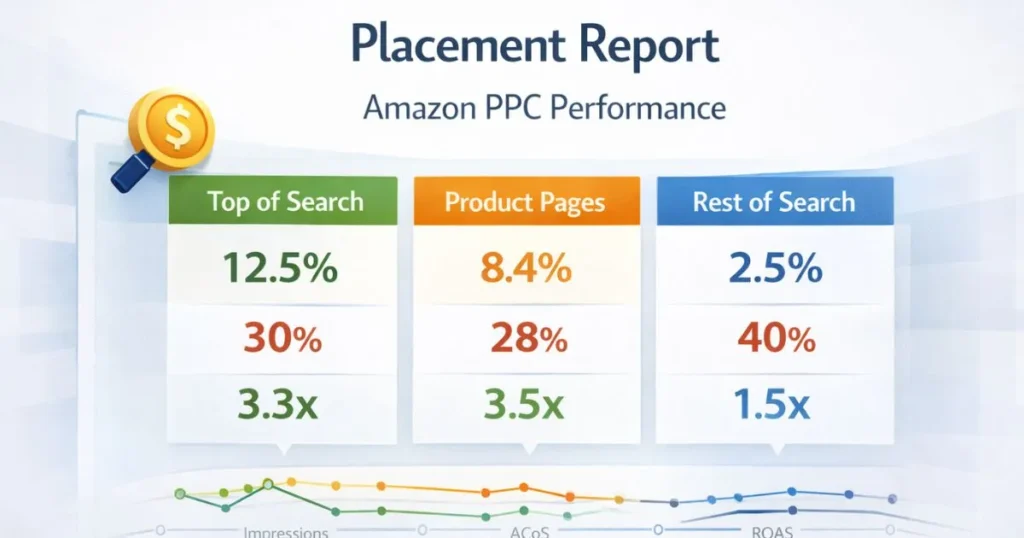
Look for placements with high spend but low CVR — that’s your budget leak. A placement at 0.8% CVR, consuming 15% of spend, is a problem that no keyword change will fix. Reading sponsored products placement data across campaign types gives you the complete picture of where your ads land and whether they’re actually earning their spend.
Dynamic Bidding + Placement Multiplier Interaction
This is where most sellers get confused — and where expensive mistakes happen. Dynamic bidding and placement multipliers are not the same thing. They operate in sequence, and understanding the math prevents you from accidentally overpaying.
How Amazon Calculates the Final Bid
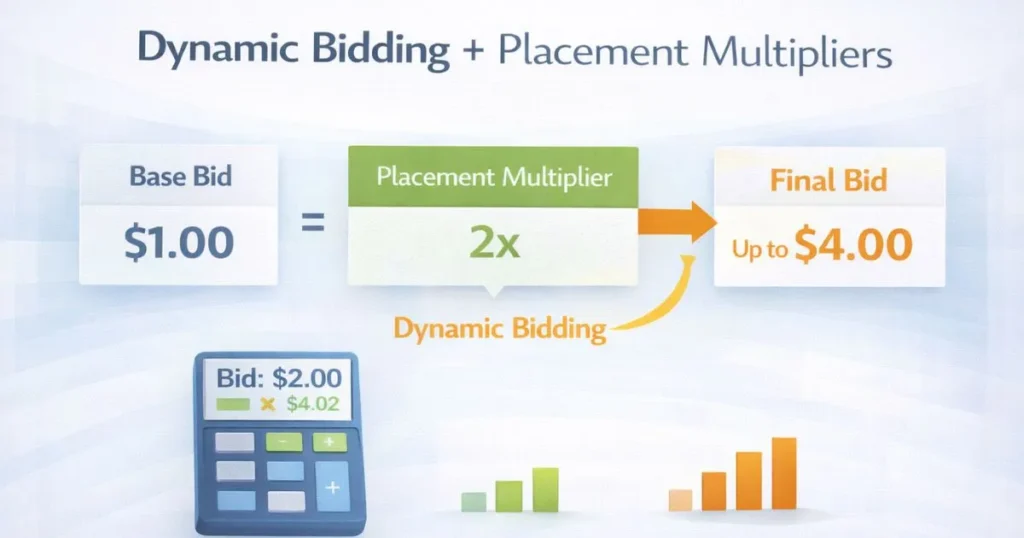
Amazon applies placement multipliers first, then applies dynamic bidding on top. Here’s the exact calculation:
Example:
- Base bid = $1.00
- TOS multiplier = 100%
- Dynamic bidding = Up & Down
- Step 1: Placement multiplier $1.00 × (1 + 100%) = $2.00
- Step 2: Dynamic bidding, Amazon can increase this by up to 100%.
- Final bid = up to $4.00
If you set a 100% TOS multiplier and use Dynamic Up & Down bidding, your actual bid can reach 4× your base bid. Most sellers who complain about “TOS being too expensive” have this combination running without realizing it.
How to Set Bid Multipliers Based on Placement Data
Now that you understand how final bids are calculated, the next step is deciding when a placement multiplier is actually justified. Amazon allows 0% to 900% multipliers per placement. Use this formula to calculate the TOS multiplier with precision:
TOS Multiplier % = ((TOS CVR ÷ Average CVR) − 1) × 100
If TOS CVR is 12% and average CVR is 6% →, multiplier = 100%. You’re willing to pay 2× base bid for TOS because the data says it converts at 2×. This is the core of the placement bid adjustment Amazon that most sellers skip entirely.
When to apply 0%: If ROS is consistently at 1.5% CVR while the baseline is 7%, set it to 0% and stop competing for that zone. Precision, not abandonment.
How to adjust without shocking the algorithm: Move in 25–50% increments. Wait 7–10 days between adjustments. Small, data-driven moves consistently outperform large reactive ones. The second half of any solid placement bid adjustment Amazon strategy is patience — let data accumulate before concluding.
Match Type and Placement Combination
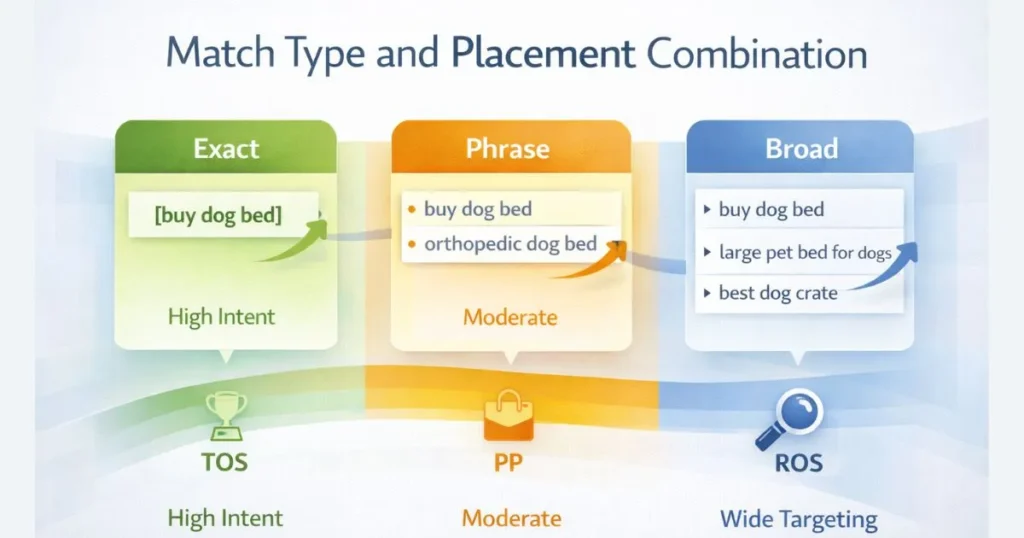
Here’s an advanced angle almost no blog covers: your match type changes how placement behaves. Treating Exact and Broad match campaigns with identical placement multipliers is a common structural mistake.
Why Exact Match and Broad Match Perform Differently by Placement
Exact match keywords at TOS convert exceptionally well — the buyer searched the exact term, they’re at peak intent, and they’re seeing your ad first. TOS multipliers for Exact match campaigns are almost always justified. Broad match at TOS is a different story. Broad match triggers a wide range of search terms — some high intent, some not. At TOS, you’re paying premium CPC for traffic that may not convert. Broad match often performs better at PP or ROS, where lower CPCs offset the lower average intent.
Practical Application
| Match Type | Best Placement | Recommended Multiplier Approach |
|---|---|---|
| Exact Match | TOS | High TOS multiplier (50–150%) |
| Phrase Match | TOS + PP | Moderate TOS, test PP |
| Broad Match | PP + ROS | Low TOS, elevated PP multiplier |
| Auto Campaign | PP + ROS | Suppress TOS until data shows otherwise |
Running Exact match campaigns with aggressive TOS multipliers and Broad/Auto campaigns with PP focus is a structural approach that dramatically improves overall Amazon placement performance without increasing total budget.
Isolating Placements With Campaign Segmentation
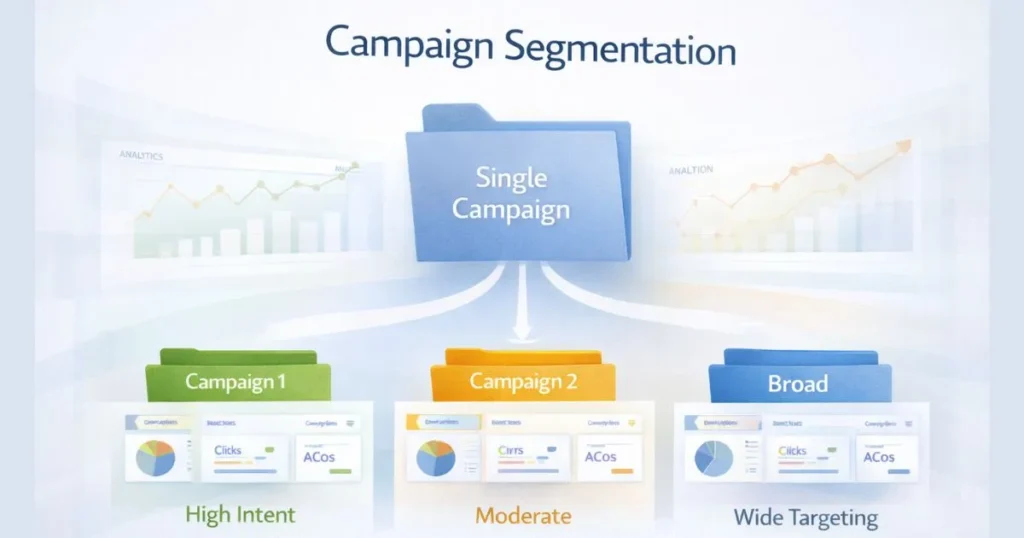
When multiple keywords, match types, and placements run in one campaign, placement data becomes noisy. You can’t tell whether TOS performance is driven by one keyword or twenty. This structural problem makes a precise placement optimization strategy at scale nearly impossible.
How to Build Placement-Specific Campaigns
- Step 1: Identify top-performing keywords by CVR and ACoS.
- Step 2: Create a dedicated TOS campaign: high TOS multiplier (50–75%), PP, and ROS at 0%.
- Step 3: Create a parallel PP campaign: PP multiplier elevated, TOS at 0%.
Same keyword, different placements, clean isolated data. Single Keyword Campaigns (SKCs) paired with placement segmentation give you the cleanest view of Amazon placement performance — every metric directly attributable to one placement zone.
When Top of Search Is Worth the Premium
TOS works best when your product has a short buying cycle, the search term is high-intent and transactional, and your listing is conversion-optimized with strong images, competitive pricing, and solid reviews. The higher CPC is justified when the conversion rate compensates for the cost. TOS becomes expensive when your product is in a high-research category, your listing has weak reviews, or the conversion rate is not clearly higher than PP or ROS. In these cases, you’re paying for visibility without enough return.
TOS threshold rule: If TOS ACoS consistently exceeds 1.5× your target over 14+ days — pull back the multiplier by 25–50%. TOS should outperform your average placement. If it isn’t, it doesn’t deserve the premium bid. Your Amazon ad placement strategy should always follow the data, not the assumption that TOS is always best.
Product Page Placements — The Hidden Opportunity Most Skip
When a buyer is on a product detail page, they’re in comparison mode — already convinced they want something in your category. Your ad here means you’re one tap from becoming their purchase. PP traffic converts at lower CPCs than TOS — and for the right products, delivers strong overall returns. Effective sponsored products placement at the PP level is especially valuable in crowded categories where TOS CPCs are inflated by heavy competition.
Best ASIN Targeting for PP
Use manual product targeting. Target ASINs with weaker reviews, higher prices, or complementary use cases. This turns PP from passive placement into active competitor conquest.
PP as Defense
Run PP campaigns on your own ASINs. Competitors actively target your listings — if you’re not protecting them, you’re sending buyers to rival products right at the conversion point. Defensive sponsored products placement is one of the most consistently overlooked tactics in Amazon PPC.
Budget Allocation Across Placements
Most sellers distribute budget at the campaign level and let Amazon decide how it flows across placements. This is a mistake — it means the algorithm, not your data, decides where the spending goes.
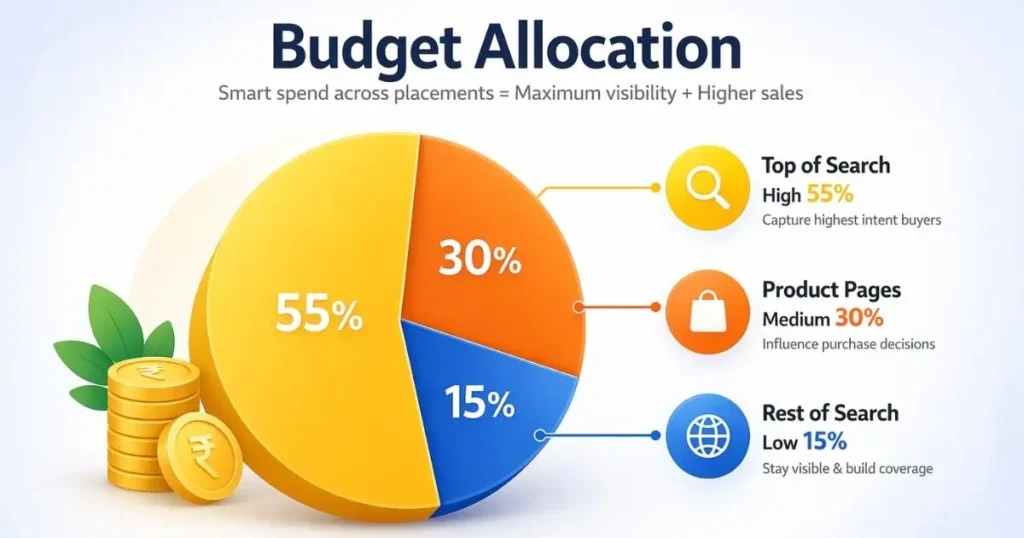
A Practical Budget Split Framework
Once you have 30 days of placement data, use CVR-weighted allocation:
| Placement | RVC | Suggested Budget Share |
|---|---|---|
| TOS | Highest | 50–60% |
| PP | Medium | 25–35% |
| ROS | Lowest | 10–15% |
These are starting ratios — adjust based on your actual placement data. If PP is outperforming TOS in your category, shift budget accordingly. The principle is simple: money should follow conversion, not assumption.
How to Enforce Budget Allocation
The cleanest method is placement-segmented campaigns with individual daily budgets. Set your TOS campaign budget at 55% of total, PP at 30%, ROS at 15%. This removes algorithmic budget decisions and puts control back in your hands — which is the entire point of a structured placement optimization strategy.
Placement Benchmarks — Performance Guide
| Placement | Avg CTR | Avg CVR |
|---|---|---|
| Top of Search | 0.5% – 1.5% | 08% – 15% |
| Product Pages | 0.2% – 0.6% | 4% – 10% |
| Rest of Search | 0.1% – 0.4% | 1% – 4% |
Ideal ACoS depends on margins, but Top of Search should usually outperform Rest of Search in profitable campaigns. If TOS CTR is below 0.3%, fix listing creative before adjusting multipliers. If TOS CVR is below 5%, the listing itself is broken — no placement bid adjustment. Amazon will fix a page that doesn’t convert.
When numbers are off:
- TOS CVR below range → Fix images, bullets, pricing, reviews first
- PP CVR below range → Audit ASIN targeting — wrong ASINs are almost always the cause
- ROS spends above 25% of the total → Pull back the ROS multiplier, redirect to TOS or PP
Benchmarks flag problems. They don’t replace your own campaign data — use them as directional signals only.
Building a Full Placement Optimization Framework
Step 1 — Audit Current Placement Performance
Pull the placement report for all active campaigns over the last 30 days. Identify which placement gets the most spend, highest CVR, and worst ACoS. This is your baseline.
Step 2 — Segment by Match Type and Placement
Apply the match type + placement matrix from Section 6. Exact match campaigns get TOS focus. Broad and Auto campaigns get PP focus. Build dedicated campaigns per placement zone for your top 5–10 keywords.
Step 3 — Set Multipliers Using CVR Formula
Calculate TOS multipliers per campaign using real CVR data. Pair with Fixed or Down Only bidding initially. Move in 25–50% increments, monitor weekly, adjust monthly.
Step 4 — Allocate Budget by Placement Performance
Set individual daily budgets per placement campaign using CVR-weighted ratios. Review and rebalance monthly as data accumulates.
Step 5 — How ScaleA2Z Manages Placement Optimization
At ScaleA2Z, placement optimization is built into every account’s ongoing PPC management. Through data-driven bid adjustments and continuous Amazon placement performance monitoring, spend is directed toward placements that actually convert — not just placements generating impressions. It’s part of a complete Amazon PPC management approach that treats placement as a primary revenue lever, not a secondary setting.
Final Thoughts
Most sellers spend the next month adjusting bids and harvesting keywords — and still wonder why results aren’t improving. The answer is usually placement. A genuine placement optimization strategy goes beyond setting a TOS multiplier and hoping for the best. It means understanding how dynamic bidding amplifies your multipliers, how match types change placement behavior, how to segment campaigns for clean data, and how to allocate budget where conversion actually happens.
TOS, PP, and ROS are not interchangeable. They represent different buyers, different intent levels, and different conversion behaviors. Treating them the same — which is what default settings do — costs real money every day. Start with your placement report. Add match type segmentation. Apply calculated multipliers. Let data drive every decision from there.
Struggling to improve your Amazon placement performance?
ScaleA2Z can help you identify wasted spend and build a more profitable placement strategy based on real data.
FAQs
What is a placement optimization strategy on Amazon?
A placement optimization strategy is the process of analyzing where your Sponsored Products ads appear across Amazon’s three placement zones — Top of Search, Product Pages, and Rest of Search — and using bid multipliers to direct spend toward the zones that convert best for your specific product. It goes beyond keyword bidding because the same keyword behaves completely differently depending on where the ad lands. Sellers who actively manage placement see lower ACoS and better conversion rates without needing to touch a single keyword.
How do dynamic bidding and placement multipliers interact?
Amazon applies placement multipliers first, then layers dynamic bidding on top. A 100% TOS multiplier with Dynamic Up & Down bidding enabled can push your actual bid up to 4× your base bid. For example, a $1.00 base bid becomes $2.00 after the TOS multiplier, and Dynamic Up & Down can then push it to $4.00. Most sellers who complain about runaway TOS costs have this combination running without realizing it. Start with Fixed Bids when testing placement performance — it gives you clean, uninfluenced data before introducing dynamic adjustments.
Which match types work best at Top of Search?
Exact match performs best at TOS because the buyer searched the precise term and is at peak purchase intent. Phrase match can work at TOS for moderately competitive terms. Broad match and Auto campaigns generally perform better at PP and ROS — lower CPCs offset the lower average intent of broader traffic. Running Exact match with aggressive TOS multipliers and Broad or Auto campaigns with PP focus is a structural approach that improves overall Amazon ad placement strategy without increasing total budget.