TACoS Above 30%? Here’s How to Fix It Step-by-Step
A TACoS above 30% can look alarming, but cutting Amazon PPC spend immediately can make the problem worse. A 35% TACoS on a new ASIN being pushed for visibility means something very different from the same number on a mature product that once generated most of its sales organically.
The first question is not “How do I lower TACoS?” It is “Why is my TACoS high?”
Check whether advertising spend increased, organic sales declined, conversion rate weakened, or paid traffic simply grew faster than total sales. A stable ACoS alongside rising TACoS, for example, points to a different problem than rising ACoS and rising TACoS together.
This guide shows you how to diagnose a TACoS above 30%, identify what is driving your high TACoS, and decide whether the next step is listing improvement, search-term cleanup, bid adjustment, or broader Amazon PPC optimization.
At ScaleA2Z, this is also how we approach PPC problems: diagnose the account data first, then use human-led strategy supported by AI-driven analysis and PPC tools to decide where bids, budgets, targeting, or listings actually need attention.
If your TACoS problem is mainly caused by inefficient spend, check our guide on how to reduce wasted Amazon ad spend for more details.
Is your Amazon TACoS creeping above 30%?
Don’t guess which bids to cut. Find out where your account is losing efficiency.
Table of Contents
What Is Amazon TACoS and Why Does It Matter?
Amazon TACoS, or Total Advertising Cost of Sales, measures ad spend as a percentage of total sales, including both ad-attributed and organic sales. Unlike ACoS, it helps you see how advertising spend relates to the performance of the entire ASIN or business rather than only sales attributed to ads.
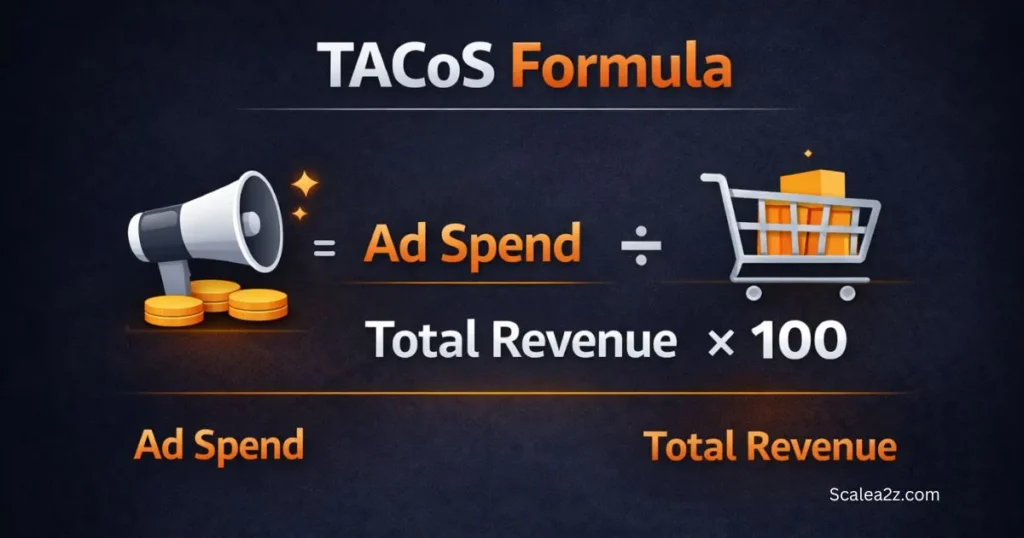
The formula is simple:
TACoS = (Ad Spend ÷ Total Sales) × 100
So if you spent $3,000 on ads and made $20,000 in total sales, your TACoS is 15%.
This broader view is what makes Amazon TACoS useful for evaluating advertising dependence at the business level. TACoS helps you understand how advertising spend relates to total business sales and whether paid traffic is becoming a larger or smaller part of your revenue mix.
A declining TACoS can indicate that total sales are growing faster than advertising spend, while a rising TACoS tells you to investigate the relationship between spend, paid sales, organic sales, and conversion. The trend matters more than one isolated percentage.
Amazon TACoS vs ACoS: What Does Each Metric Tell You?
Many sellers focus heavily on ACoS because it is one of the first advertising efficiency metrics they review. It’s the number Amazon puts front and center, so naturally, that’s where attention goes. But ACoS only tells half the story.
Here’s the difference:
ACoS measures ad spend against ad-attributed revenue only. If your ads generated $5,000 in sales and you spent $1,500, your ACoS is 30%. Clean and simple, but incomplete.
TACoS measures ad spend against your total revenue — organic sales included. Same $1,500 spend, but now your total revenue is $15,000. TACoS drops to 10%. Suddenly, the picture looks completely different.
This is why two sellers can have identical ACoS numbers and completely different business health.ACoS tells you how efficient your campaigns are. TACoS tells you how dependent your business is on those campaigns. One measures performance. The other measures sustainability.
ACoS helps diagnose advertising efficiency, while TACoS adds the total-sales context. Neither should be read in isolation. For a high-TACoS diagnosis, compare both metrics with ad spend, total sales, conversion performance, and the product’s lifecycle stage.
| Metric Pattern | What It May Indicate | What to Investigate |
|---|---|---|
| TACoS ↑, ACoS stable | Total sales are not keeping pace with ad spend | Organic contribution and total-sales trend |
| TACoS ↑, ACoS ↑ | Advertising efficiency may also be weakening | Search terms, bids, placements and CVR |
| TACoS ↓, ACoS stable | Total sales are growing faster than spend | Check whether growth is sustainable |
| TACoS stable, ACoS ↑ | Total-sales growth may be offsetting weaker ad efficiency | Campaign-level profitability |
| TACoS ↑ after scaling PPC | Incremental spend may not be producing enough incremental sales | Paid vs total-sales growth |
Quick Tip: Never diagnose a high TACoS from TACoS alone. Always read it alongside ACoS, ad spend, ad-attributed sales, total sales, conversion rate, and product lifecycle stage.
Why Your Amazon TACoS Is Above 30%
Before you fix anything, you need to know what’s actually broken. Most sellers respond to a high TACoS by either cutting spend or throwing more budget at the problem—neither works without identifying the root cause first.
Your Ad Spend Increased Faster Than Total Sales
Suppose monthly ad spend rises from $3,000 to $4,500 while total sales move from $20,000 to only $22,000. TACoS increases from 15% to about 20.5%. Before cutting bids, determine where the additional spend went and whether it generated incremental sales.
Your Organic Sales or Organic Visibility Declined
TACoS can rise even when Amazon PPC campaigns appear reasonably efficient. If organic sales fall while advertising spend remains stable, paid sales represent a larger share of total revenue. Check organic keyword visibility, total sales trends, listing changes, inventory history, and competitive changes before assuming PPC alone caused the increase.
Your Listing Conversion Rate Weakened
A higher TACoS can start outside the advertising console. If your product detail page receives similar traffic but converts fewer sessions into orders, the same PPC spend produces less total revenue. Check price, Featured Offer status, reviews, images, inventory availability, and recent listing changes before assuming bids are the main problem.
Your PPC Is Spending on Low-Value Search Terms
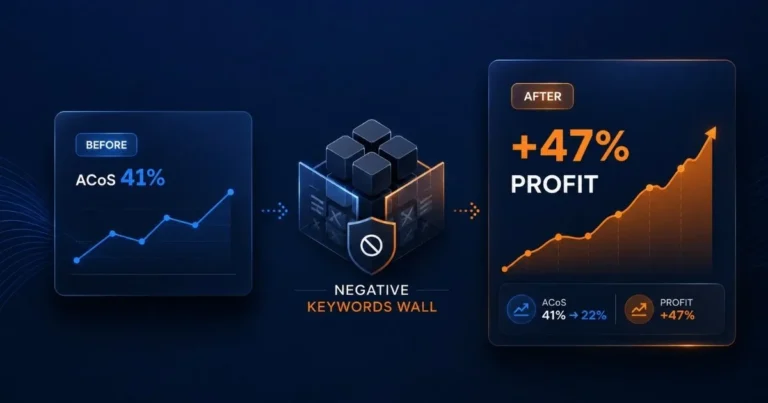
Relevant traffic and profitable traffic are not always the same thing. Use the Search Term Report to identify customer queries generating clicks and spend without contributing enough orders or revenue. Evaluate relevance, spend, clicks, conversions, and campaign objective before deciding whether to lower bids or use negative targeting.
Your Product Is Still in the Launch Stage
A new ASIN can carry a higher TACoS while advertising is being used to generate initial visibility and sales. That does not make every high-TACoS launch healthy. Compare spend with margins, total-sales growth, conversion performance, and the specific objective of the launch.
Branded Ads Are Increasing Paid-Sales Dependency
If a mature ASIN generates a growing share of sales through branded advertising, TACoS can rise even when those campaigns show an attractive ACoS. Separate branded and non-branded performance and investigate whether additional branded spend is generating incremental demand or capturing sales that may have occurred anyway.
How to Diagnose a TACoS Above 30% Before Cutting Ad Spend
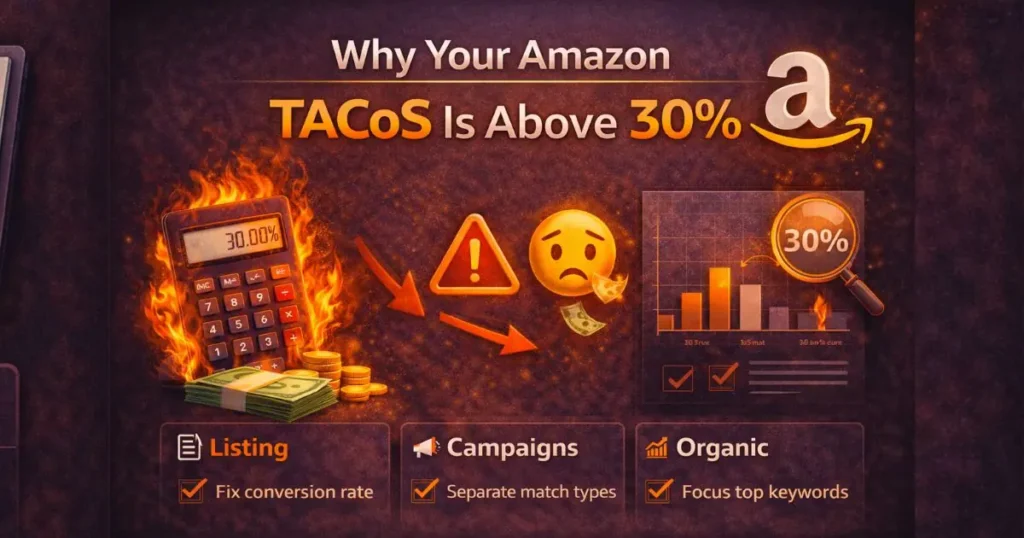
A TACoS above 30% tells you that advertising represents a large share of total sales, but it does not tell you why. Diagnose the denominator and numerator separately: what happened to ad spend, and what happened to total sales? Then move into campaign and listing data.
Here’s how to fix high TACoS — not with guesswork, but with a structured framework that targets each root cause directly. Work through these steps in order.
Check Whether Conversion Is Causing High TACoS
Conversion is one of the first areas worth checking before changing bids. Before touching a single bid, look at your listing. Because if your listing isn’t converting well, every dollar you spend on ads is working harder than it needs to.
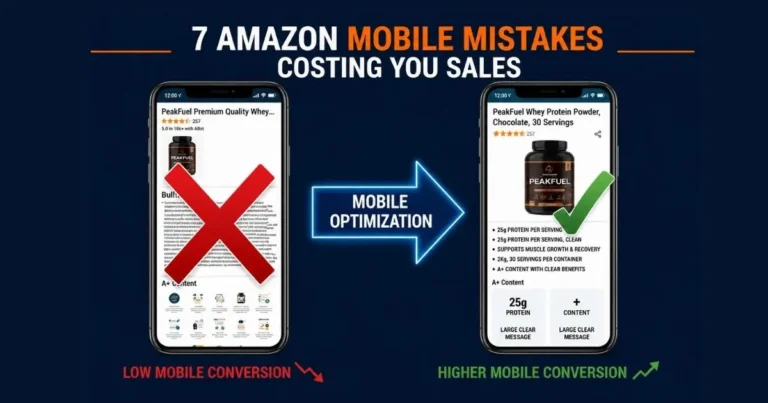
A weak title, generic bullet points, low-quality images, or missing A+ Content all drag your conversion rate down. And a low conversion rate means high spend, few sales, and a TACoS that refuses to budge.
Check whether your Amazon conversion rate changed around the same time TACoS increased. Review the product detail page, price, Featured Offer status, reviews, images, inventory availability, and recent listing changes. Compare the ASIN’s current conversion performance with its own historical baseline rather than applying one universal conversion-rate target.
If sessions remain healthy while orders decline, fix the conversion problem before paying for substantially more traffic.
Check Whether Campaign Structure Is Hiding Inefficient Spend
Campaign structure becomes a TACoS problem when you cannot clearly see which targets, search terms, campaigns, or placements are consuming spend without supporting sales. Review your Sponsored Products campaigns by objective, targeting type, search-term performance, and placement before making structural changes.
The goal is not to create more campaigns. The goal is to make wasted ad spend easier to identify and control without unnecessarily restricting profitable traffic.
Find Search Terms Raising Spend Without Enough Sales
Review your Search Term Report for customer queries generating meaningful clicks and spend without enough orders or revenue. Look at relevance, clicks, spend, conversions, and margin before reducing bids or adding negative targeting.
A clearly irrelevant search term should be treated differently from a relevant term that simply does not have enough data yet.
Check Bids, Budgets, and Placement Efficiency
Once wasted spend is under control, focus on bid efficiency. Review whether your bidding strategy matches the campaign objective and available performance data. With dynamic bids – down only, Amazon can reduce bids when an ad is less likely to convert, while other bidding strategies behave differently.
Make controlled changes and give the campaign enough data before judging the result. Avoid changing bids, budgets, placements, and targeting at the same time, because you may not know which change caused the improvement or decline.
Protect budget for campaigns that support the account objective, and reduce or reallocate spend where performance data no longer justifies the investment.
Use Campaign Manager and the Placement Report to compare Top of Search, Rest of Search, and Product Pages before making placement-level bid changes.
If bid, budget, targeting, and placement decisions are becoming difficult to manage together, professional Amazon PPC management can help connect these decisions to TACoS, ACoS, and total-sales goals.
Compare Paid Sales With Organic Sales Growth
The goal is not simply to reduce advertising spend. It is to determine whether PPC is helping the product generate enough total-sales growth to justify its cost. Track ad spend, ad-attributed sales, total sales, TACoS, conversion performance, and organic visibility over the same period.
If paid sales continue rising but total sales barely move, investigate whether advertising is replacing sales that might otherwise have occurred organically. If total sales and organic visibility improve while TACoS trends downward, your paid traffic may be supporting healthier overall growth.
Do not cut a productive campaign simply because its TACoS contribution looks high in isolation. Evaluate the business outcome first.
How to Lower TACoS on Amazon Without Cutting Profitable Sales
To lower TACoS sustainably, reduce inefficient ad spend while improving the total sales generated from the traffic you keep. Start with weak search terms, conversion problems, inefficient bids and placements, then compare paid-sales growth with total-sales growth. Avoid cutting profitable campaigns simply to make the TACoS percentage look better.
- Control inefficient search terms: Review relevance, clicks, spend, orders, and margins before lowering bids or applying negative targeting to weak search terms.
- Fix listing conversion issues: Optimize images, A+ Content, and pricing before buying more traffic.
- Adjust bids by placement data: Balance Top of Search vs. Product Pages spend using historical performance.
- Protect profitable campaigns: Avoid cutting campaigns that support profitable sales and coincide with healthy total-sales and organic-visibility trends.
- Track TACoS with ACoS: Evaluate both metrics together alongside total sales trends instead of viewing TACoS in isolation.
What Should You Fix First When TACoS Is Too High?
Not every high-TACoS account needs the same fix. Prioritize the constraint that is causing spend to grow faster than total sales rather than applying every PPC optimization at once.
| Diagnostic Finding | Priority | First Response |
|---|---|---|
| Conversion rate fell | High | Fix product-detail-page or offer problem |
| Irrelevant search-term spend increased | High | Refine targeting and negatives |
| ACoS and TACoS both increased | High | Audit PPC efficiency |
| ACoS stable but TACoS increased | High | Investigate organic/total-sales decline |
| Mature ASIN depends heavily on branded ads | Medium-High | Measure incrementality and cannibalization |
| New launch has intentionally high TACoS | Context dependent | Compare performance with launch objective |
| Winning campaigns are budget constrained | Context dependent | Reallocate budget rather than cutting everything |
Quick Tip: At ScaleA2Z, AI-driven data analysis and PPC tools can support bid adjustments, search-term monitoring, and campaign optimization, but automation should not decide the business objective. Human review is still needed to determine whether a high TACoS reflects waste, a conversion problem, launch investment, or an intentional growth strategy.
What Is a Good TACoS on Amazon?
There is no universal “good” TACoS percentage that applies to every Amazon product. The right level depends on your margins, product lifecycle, growth objective, organic sales contribution, conversion performance, and historical results.
A mature ASIN with strong organic sales may need a lower TACoS to meet its profitability target, while a new launch may temporarily accept greater advertising dependence to build visibility and test demand.
Instead of asking whether your TACoS matches an industry benchmark, ask whether your current advertising spend leaves enough contribution margin and whether total sales are growing efficiently.
How Product Margin Changes Your TACoS Target
Your product economics help determine how much advertising spend the business can support. Start with the revenue remaining after relevant product costs, Amazon fees, fulfillment costs, and other variable costs included in your profitability model.
For example, if your pre-advertising contribution margin is 35% of revenue and TACoS is 30%, advertising consumes most of that available margin. If the pre-advertising contribution margin is only 20%, a 30% TACoS would exceed that margin before other costs are considered.
This is why the same TACoS can be manageable for one ASIN and unsustainable for another.
Is a TACoS Above 30% Always Bad?
No. A TACoS above 30% is not automatically bad. Its significance depends on margins, product lifecycle, organic sales contribution, advertising objective, and whether TACoS is rising or falling. A launch-stage ASIN may temporarily tolerate higher ad dependency, while persistent 30%+ TACoS on a mature product deserves closer investigation.
| Situation | How to Interpret High TACoS |
|---|---|
| New product launch | May reflect intentional visibility investment |
| Mature ASIN with falling organic sales | Warning sign |
| High-margin product | May tolerate more ad spend, depending on economics |
| Low-margin product | High TACoS can threaten contribution margin sooner |
| TACoS rising while ACoS is stable | Investigate total/organic sales |
| TACoS and ACoS both rising | PPC efficiency also deserves investigation |
New Launch vs Established Product TACoS
Product stage changes how you should interpret TACoS. A launch-stage ASIN may intentionally accept greater advertising dependence while the seller tests demand and builds visibility. A mature ASIN should be judged against its margins, historical TACoS trend, organic contribution, conversion performance, and growth objective.
The important question is not whether an ASIN crossed a universal percentage threshold. It is whether the advertising investment is producing a business outcome that makes economic sense.
Why Can TACoS Rise Even When ACoS Looks Good?
TACoS can rise while ACoS remains stable when advertising spend grows faster than total sales or when organic sales decline. Your campaigns may still generate ad-attributed sales efficiently, but the business can become more dependent on paid traffic at the same time.
| Metric | Month A | Month B |
|---|---|---|
| Ad spend | $2,000 | $2,500 |
| Ad-attributed sales | $8,000 | $10,000 |
| Total sales | $20,000 | $18,000 |
| ACoS | 25% | 25% |
| TACoS | 10% | 13.9% |
ACoS did not change, but TACoS increased because ad spend grew while total sales declined. The campaigns still look equally efficient through the ACoS lens, yet the business became more dependent on advertising. This is why TACoS and ACoS should be diagnosed together.
Common Mistakes That Keep Amazon TACoS High
Cutting PPC Before Diagnosing the Cause
Lowering spend can reduce TACoS mathematically, but it can also reduce profitable sales. Diagnose the source of the increase before making account-wide cuts.
Optimizing ACoS Without Watching Total Sales
A lower ACoS is not automatically a better business outcome if total sales decline or the account becomes less effective at acquiring non-branded demand.
Treating Every Non-Converting Search Term as Waste
Search terms need enough context to judge. Consider relevance, clicks, spend, orders, margin, and campaign objective before applying negatives.
Changing Too Many Variables at Once
Changing bids, budgets, placements, and targeting simultaneously makes it difficult to identify what caused the result.
Ignoring Branded vs Non-Branded Performance
Blended performance can hide whether spend is acquiring demand or primarily capturing existing brand demand.
Judging TACoS From One Snapshot
Compare TACoS across meaningful periods and read the trend alongside ACoS, total sales, ad spend, and conversion performance.
High TACoS Diagnostic Checklist
- Calculate current TACoS.
- Compare it with previous periods.
- Compare TACoS with ACoS.
- Check ad spend vs total-sales movement.
- Review paid vs organic sales contribution where your available reporting allows.
- Check ASIN conversion performance.
- Review Search Term Report.
- Compare branded vs non-branded performance.
- Review Top of Search, Rest of Search and Product Pages performance.
- Identify the single highest-priority cause.
- Make a controlled change.
- Measure the result before making the next major change.

How to Measure Whether Your TACoS Fix Is Working
| Metric | Why Monitor It |
|---|---|
| TACoS | Overall advertising dependence/trend |
| ACoS | Ad-attributed efficiency |
| Ad spend | Whether investment is increasing/decreasing |
| Ad-attributed sales | Direct advertising output |
| Total sales | Business-level sales outcome |
| Conversion rate | Whether traffic converts |
| Search-term performance | Where spend produces/loses sales |
| Placement performance | Where ads perform |
| Organic visibility | Context for paid/organic balance |
To reduce TACoS sustainably, judge the direction of several metrics together rather than treating a lower percentage as the only goal. A lower TACoS caused by cutting profitable traffic and losing total sales is not necessarily an improvement. The healthier outcome moves TACoS toward your economic target while protecting profitable sales and strengthening the overall business.
Set your acceptable TACoS level from product margins, growth goals, and historical performance instead of copying a universal benchmark from another seller.
Conclusion
A TACoS above 30% is a reason to investigate, not a command to cut Amazon advertising. Start by identifying whether the increase came from higher ad spend, weaker total sales, declining conversion, inefficient search terms, or greater paid-sales dependency.
Read TACoS alongside ACoS, total sales, ad-attributed sales, conversion performance, search terms, placements, and product lifecycle. Once you know which variable is moving in the wrong direction, you can reduce high TACoS with a targeted change instead of cutting spend across the account.
If your TACoS remains high and you cannot identify where advertising efficiency or organic contribution is breaking down, ScaleA2Z can audit the account at campaign, search-term, placement, and ASIN level. Our PPC management combines human-led strategy with AI-assisted analysis and bid optimization to identify where spend should be reduced, protected, or scaled.
Ready to Lower Your TACoS Without Sacrificing Sales?
Frequently Asked Questions
Is a 30% TACoS bad on Amazon?
Not automatically. A 30% TACoS should be judged against product margins, lifecycle stage, advertising objective, organic sales contribution, and the TACoS trend. It may deserve closer attention on a mature ASIN, while a launch-stage product can have a different acceptable level.
How do I calculate TACoS?
The formula is simple: divide your total ad spend by your total revenue — organic and paid combined — then multiply by 100.
TACoS = (Total Ad Spend ÷ Total Revenue) × 100
Example: $3,000 ad spend ÷ $20,000 total revenue = 15% TACoS.
Why is my TACoS increasing while ACoS stays the same?
TACoS can increase while ACoS stays stable if ad spend grows faster than total sales or organic sales decline. ACoS may therefore show stable ad efficiency while TACoS reveals greater dependence on advertising.
How do I reduce TACoS without hurting sales?
Start by identifying what caused TACoS to rise. Fix inefficient search terms, weak conversion, misplaced budget, or paid-sales dependency selectively instead of cutting every campaign. Measure total sales and ACoS alongside TACoS so a lower percentage does not come at the expense of profitable revenue.
Should I lower bids when TACoS is high?
Not automatically. Lower bids where campaign, target, or placement data shows that spend is not supporting your profitability or growth objective. A high TACoS caused by declining conversion or organic sales may require a different fix.
Can a new Amazon product have a high TACoS?
Yes. A new ASIN may temporarily rely more heavily on advertising while building visibility and testing demand. Whether that level is acceptable depends on margins, conversion, total-sales growth, budget, and the objective of the launch.
What is a good TACoS on Amazon?
There is no universal good TACoS percentage for every Amazon product. Your acceptable TACoS depends on margins, product lifecycle, growth objective, organic sales contribution, and historical performance. A better benchmark is the level your product economics can support while maintaining profitable total-sales growth.