How to Launch a Brand on Amazon in 2026
Starting a brand on Amazon in 2026 is not what it was five years ago. The marketplace is bigger, more competitive, and buyers are far more selective. Thousands of new sellers show up every month — most of them disappear within six months because they skipped the fundamentals.
But the opportunity is still very real. Millions of shoppers browse Amazon every single day, and they’re actively looking for brands they can trust. If you know how to launch a brand on Amazon the right way, you can tap into that demand and build something that lasts.
This guide covers every step from building your brand foundation and registering with Amazon to running your first ads and scaling past launch. Whether you’re starting from zero or you’ve tried before and hit a wall, this is the roadmap you need.
Let’s get into it.
Want expert help before spending money on inventory, listings, or ads?
Free Launch AuditTable of Contents
Brand vs Private Label — What's the Difference
Before we get into the steps, it’s worth getting clear on something most guides skip. Many sellers jump into launching without understanding what they’re actually building, and that confusion costs them later.
Why Brand Thinking Changes Everything
Many sellers use “brand” and “private label” as if they mean the same thing. They don’t. A private label product is a generic item with your name on it. You source it, list it, and move on. There’s no story, no identity, and no reason for a customer to come back specifically for you.
A brand is different. A brand has a name people recognize, a consistent look, and products that solve a specific problem for a specific type of customer. It creates repeat buyers, not just one-time transactions.
When you launch a brand on Amazon, you’re not just trying to make sales. You’re building an asset, something that grows in value over time and becomes genuinely defensible against competitors.
What Amazon Rewards in 2026
Amazon’s algorithm looks at more than price and reviews. It weighs conversion rate, listing quality, customer satisfaction, and brand presence. Sellers who have invested in their brand’s proper images, A+ Content, a live Brand Store, and Brand Registry consistently outperform those who haven’t.
Thinking like a brand owner from day one gives you a structural advantage that most sellers simply don’t have.
Why Most Amazon Brand Launches Fail
Every week, new brands go live on Amazon. Most quietly disappear within six months. It’s not bad luck — it’s almost always one of these four mistakes.
No Clear Brand Positioning
If you can’t explain in one sentence who your product is for and why it’s better, neither can your customer. Vague positioning leads to low conversion rates, weak reviews, and wasted ad spend. Before you spend a single dollar on inventory, you need to know exactly who you’re selling to and what makes you different.
Poor Product-Market Fit
Some products simply don’t belong on Amazon. High competition, thin margins, fragile items, or oversaturated niches will kill a launch before it starts. Product research isn’t optional, it’s the most important work you’ll do before sourcing a single unit.
Skipping Brand Registry
Amazon Brand Registry is not a nice-to-have. It’s the gateway to A+ Content, Brand Store, Sponsored Brands campaigns, and brand protection tools. Sellers who skip it are competing with one hand tied behind their back.
Starting Ads Too Early
Running PPC before your listing is optimized is like driving with your eyes closed. If your title, images, and bullets aren’t converting, ads will just drain your budget. Get your listing right first, then turn on the campaigns.
Cost to Launch a Brand on Amazon
One of the first questions every new seller asks how much does this actually cost? The honest answer is that it depends on your product, category, and how seriously you want to compete. But here’s a realistic picture.
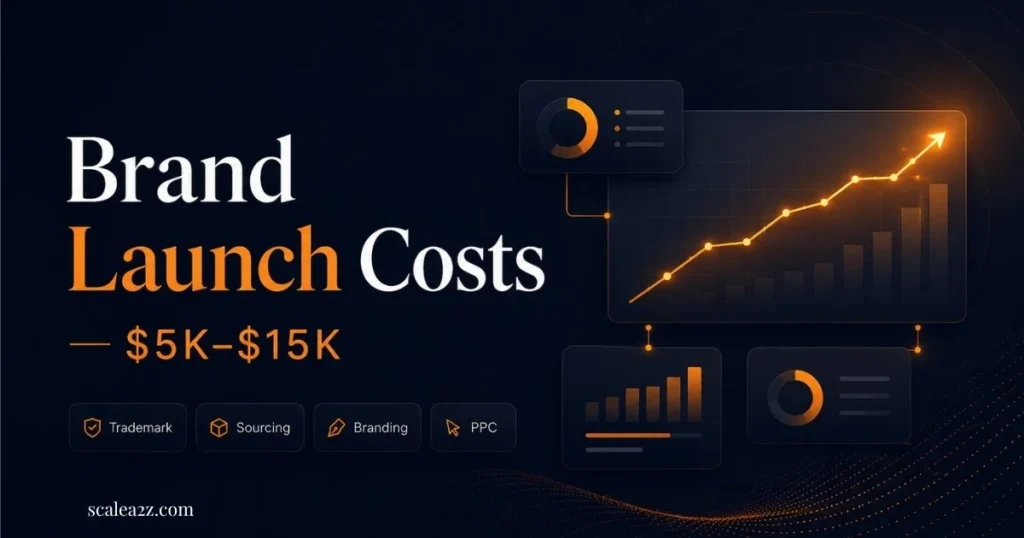
The cost to launch a brand on Amazon depends on your product category, inventory size, PPC budget, and how much creative work you need before launch.
Minimum Budget to Start
Most sellers launching their first brand on Amazon should budget between $5,000 and $15,000 for a solid start. That covers inventory, branding, listing setup, and early advertising. You can start with less, but cutting corners usually shows in your results.
Cost Breakdown by Phase
| Phase | Estimated Cost |
|---|---|
| Trademark Filing | $250 – $400 |
| Product Sourcing (MOQ) | $2,000 – $5,000 |
| Branding (Logo, Packaging) | $300 – $800 |
| Photography | $200 – $600 |
| Amazon PPC (First 60 Days) | $1,000 – $3,000 |
| Tools, Shipping, FBA Fees | $500 – $1,500 |
These are rough figures — your actual numbers will vary. But this gives you a realistic baseline to plan around.
Where Most Budget Gets Wasted
The biggest money wasters in an Amazon brand launch: buying too much inventory before validating demand, running ads to an unoptimized listing, and skipping professional photography. These three mistakes alone account for the majority of failed launches.
Build Your Brand Foundation
Everything starts here. Before you think about listings, ads, or inventory, you need a solid brand foundation. Skipping this step is why so many sellers end up with a product that looks like everyone else’s.
Choose a Profitable Niche
Don’t just follow trends. Look for a niche where demand is steady, competition is manageable, and there’s a visible gap you can fill. Use tools like Helium 10 or Jungle Scout to validate monthly search volume and study how established the top sellers are. If the first page is all 10,000+ reviews, that niche needs more firepower than most new brands have.
Define Your Brand Positioning
Your positioning is your promise to the customer. It answers three questions: who is this for, what problem does it solve, and why should they choose you over everyone else? Write this down before you do anything else. Every product you launch, every image you create, and every ad you run should align with this positioning.
Logo, Name and Packaging
Your brand name should be simple, memorable, and easy to spell. Your logo needs to look professional on both a white background and your packaging. Packaging matters more than most new sellers expect — it directly affects unboxing experience, return rates, and customer reviews.
Know Your Ideal Customer
Build a simple customer profile. Age, lifestyle, pain points, and what they search for. When you know exactly who you’re talking to, writing listings becomes easier, choosing images becomes clearer, and your ads perform better from day one.
Validate Your Product Before Sourcing
A great brand built around the wrong product is still a failing business. Product validation isn’t glamorous work, but it’s the step that separates sellers who make money from those who sit on dead inventory.
Analyze Market Demand
Check the monthly search volume for your main keyword. Look at BSR (Best Seller Rank) for top competitors to estimate their unit sales. If the numbers aren’t there at the research stage, no amount of marketing will save you later.
Study Competitor Weaknesses
Read the 1-star and 3-star reviews on your top competitors. These are a goldmine. They tell you exactly what customers hate about the current options, and that’s your opening. Build a product that fixes those problems, and you already have a head start before you’ve sourced a single unit.
Evaluate Product Viability
Can you sell this product profitably? Factor in product cost, FBA fees, inbound shipping, advertising, and Amazon’s referral fee, which runs around 15% in most categories. If your margins don’t work on paper, they won’t work in real life. Don’t talk yourself into a bad product.
Avoid High-Risk Categories
For a first brand launch, stick to something simple, easy to ship, easy to store, and easy to explain. Avoid fragile items, oversized products, heavily gated categories, or anything heavily seasonal unless you have specific expertise and capital to match.
Set Up Seller Central Correctly
Getting your Seller Central account set up the right way from the start saves you a lot of headaches later. Small mistakes, a wrong plan, missing documents, or skipped approvals can delay your entire launch.
Individual vs Professional Plan
If you’re serious about launching a brand, go with the Professional selling plan ($39.99/month). It gives you access to advertising, brand tools, bulk listing features, and everything you’ll need from day one. The Individual plan is fine for testing a product or two, not for building a brand.Lorem ipsum dolor sit amet, consectetur adipiscing elit. Ut elit tellus, luctus nec ullamcorper mattis, pulvinar dapibus leo.
Documents You Will Need
Amazon will ask for a government-issued ID, business details, bank account information, and a credit card. Have everything ready before you start the registration process. Incomplete applications slow things down significantly and can delay your entire launch timeline.
Category Approval Requirements
Some categories require approval before you can sell electronics, health, beauty, and groceries are the most common. Check your category’s requirements early and start the approval process before your inventory arrives at FBA.
Protect Account Health Early
Amazon’s account health dashboard is something you should be checking every week. Keep your order defect rate low, respond to customer messages within 24 hours, and follow every policy from day one. One suspension during your launch window can set you back weeks or months.
Register Your Brand (Don't Skip This)
This is the step that unlocks everything. Without Brand Registry, you’re competing without access to Amazon’s most powerful brand tools. The process takes some time, so start it early, don’t wait until your products are already live.
If you plan to launch a brand on Amazon seriously, Brand Registry should be part of your early launch plan, not something you think about later.
Trademark — What You Need
Amazon Brand Registry requires an active or pending trademark. In the US, you can use Amazon’s IP Accelerator program to fast-track the process and get Brand Registry access while your application is still pending. Standard trademark filing takes 8–12 months for full approval, but IP Accelerator can get you in much sooner.
Brand Registry Enrollment Steps
Once your trademark is in progress, go to brandservices.amazon.com and start your application. You’ll need your brand name, trademark registration number, product categories, and images of your branded products and packaging. The process is straightforward but takes a few days for Amazon to approve.
Common Registry Mistakes
The most common reason Brand Registry applications get rejected: the trademark doesn’t exactly match the brand name on Amazon. Spelling, capitalization, and spacing need to match precisely. Double-check before you submit.
Tools You Unlock After Registry
Amazon Brand Registry opens up serious competitive advantages. You get A+ Content for richer listings, Brand Store to build your own storefront, Sponsored Brands and Sponsored Display campaigns, Vine for early reviews, Brand Analytics for market data, and brand protection tools to fight counterfeiters. These aren’t small perks — they change how you compete.
Build a Brand Store That Converts
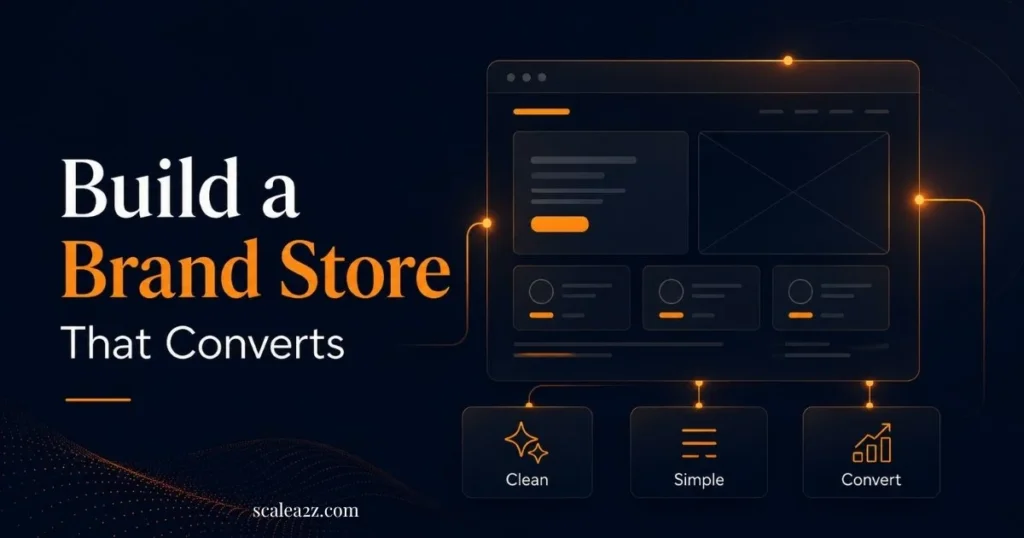
Your Brand Store is the one place on Amazon that’s entirely yours. No competitor ads, no distractions, just your brand and your products. Done right, it builds trust and drives conversions. Done poorly, it looks like an afterthought.
Store Structure That Works
Your Brand Store is your home on Amazon. think of it as a mini website. The best stores have a clean homepage with your top products front and center, a simple navigation menu, and separate pages for each product category you sell. Keep it focused. Customers should find what they’re looking for in two clicks or less.
How to Write Your Brand Story
The Brand Story section available through A+ Content is one of the most underused features on Amazon. Use it to tell customers who you are, why you started this brand, and what makes your products worth choosing. It doesn’t need to be long. A few paragraphs with strong visuals can make a real difference in how customers perceive your brand versus a faceless competitor.
Product Page Layout Tips
Each product page in your store should show the product clearly, include a short benefit-driven description, and link directly to the listing. Use lifestyle images that show the product in use, not just white background shots.
Store Navigation Best Practices
Keep your navigation simple. Too many categories confuse customers. If you’re launching with one or two products, a single homepage is enough. Add category pages as your catalog grows — don’t build for a product range you don’t have yet.
Create Listings That Rank and Convert
You can have the best product in your category, but if your listing doesn’t convert, nothing else matters. This is where a lot of brands silently lose the game.
Title Optimization Formula
Your title should include your main keyword naturally, your brand name, and the key product features. Keep it readable. Amazon’s algorithm and real customers both need to understand what you’re selling. Keyword-stuffed titles that read like a robot wrote them hurt conversion rates more than they help rankings.
Bullet Points That Sell
Bullets aren’t just a feature list — they’re a sales pitch. Lead with what the customer gets, then explain how. Five strong, benefit-focused bullets written for your ideal customer will consistently outperform ten generic feature lists.
Backend Keyword Strategy
Backend keywords are invisible to customers but indexed by Amazon’s search algorithm. Use this space for alternate spellings, related search terms, and keywords that didn’t fit naturally in your title or bullets. Don’t repeat keywords already in your listing. Amazon counts each keyword once, regardless of how many times it appears.
Product Images That Drive Clicks
Your main image needs to be on a pure white background and show the full product clearly. Your secondary images should include lifestyle shots showing the product in use, feature infographics, and a size or scale reference. Strong images directly improve your click-through rate and conversion rate — they’re not a nice-to-have.
A+ Content Setup
Once you’re enrolled in Brand Registry, set up A+ Content on every listing. This replaces the plain product description with rich media comparison charts, lifestyle imagery, and feature callouts. A+ Content can help improve conversion by explaining your product, showing benefits visually, and building more trust with shoppers. It’s one of the most impactful things you can do for a new listing.
FBA Setup and Inventory Planning
Inventory mistakes are some of the most expensive mistakes in an Amazon brand launch. Too much stock and you’re paying storage fees. Too little and you go out of stock right when things are picking up. Planning this properly from the start protects your launch momentum. Lorem ipsum dolor sit amet, consectetur adipiscing elit. Ut elit tellus, luctus nec ullamcorper mattis, pulvinar dapibus leo.
FBA vs FBM
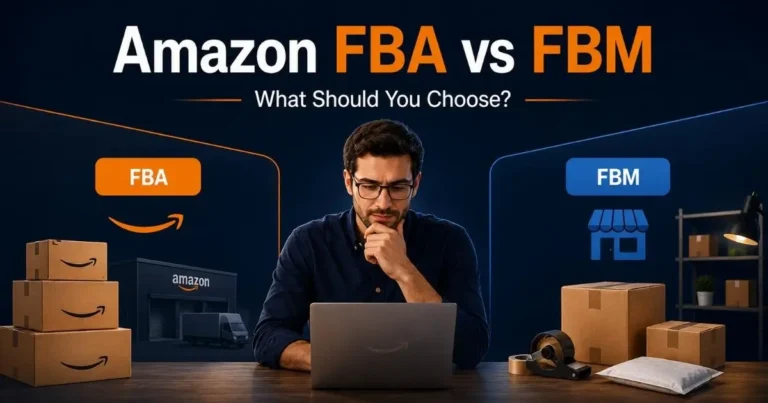
For most brand launches, FBA is the right call. Prime eligibility alone dramatically improves conversion rates, and you remove the complexity of fulfilling individual orders yourself. FBM makes sense if your products are oversized, you have your own warehouse operation, or your margins are too thin to absorb FBA fees after everything is calculated.
Calculate Your Launch Stock
Don’t send too much or too little. Too many ties up capital in storage fees. Too little means stockouts, which hurt your organic ranking and kill your launch momentum. A solid starting point is 60–90 days of projected sales based on your market research numbers.
Avoid Early Stockouts
Going out of stock during your launch is one of the worst things that can happen to a new brand. You lose ranking, lose ad performance, and rebuilding takes weeks. Monitor inventory levels closely and reorder before you hit the danger zone. Don’t wait until you’re almost out.
Manage FBA Storage Costs
Amazon charges long-term storage fees for inventory sitting in its warehouses for more than 365 days. For a new launch, this usually isn’t an issue, but order smart and conservatively. Optimize as you gather real sales data.
Use the Honeymoon Period
Most sellers don’t know this window exists, and the ones who do often waste it. Many sellers refer to the first few weeks after launch as the honeymoon period because new ASINs often get early testing opportunities on Amazon. And what you do in those first few weeks determines how well your product ranks going forward.
What Is the Honeymoon Period
When you first launch a new ASIN on Amazon, there’s a critical window, typically the first 2 to 8 weeks, where Amazon’s algorithm gives your product extra visibility to test how it performs with real shoppers. This is called the honeymoon period.
If you convert well during this window, Amazon takes it as a signal that your product deserves to rank higher organically. If you don’t perform, that visibility pulls back, and you have to fight much harder to recover it. This window doesn’t come back, make the most of it.
Launch Pricing Strategy
During the honeymoon period, price slightly below your target price point to maximize conversions. You’re not trying to maximize profit right now — you’re sending Amazon a signal that customers want your product. Once your organic ranking stabilizes, gradually increase your price.
Coupons and Deals at Launch
Coupons show up on your listing with a green badge visible in search results, which increases click-through rate. Even a 5–10% discount can make a noticeable difference in early conversion rates. Use them during your launch window to build initial momentum.
Retail Readiness Before Going Live
Before you publish your listing, run through this quick check: main image professional and clear, title readable, all bullets filled in, A+ Content live, price competitive, FBA stock confirmed, and Brand Store published. Don’t launch a listing that isn’t ready — first impressions matter to both customers and the algorithm. For a detailed pre-launch walkthrough, check our guide on how to launch a new product on Amazon successfully.
Amazon PPC for New Brands
Running PPC for a brand that just launched is different from managing an established account. At this stage, the goal isn’t profit, it’s visibility, data, and velocity.
Why Start With Auto Campaigns
Auto campaigns let Amazon decide which search terms to show your ads for based on your listing content. For a brand new ASIN, this is incredibly useful — you’ll discover converting keywords you never would have targeted manually. Run auto campaigns for the first 2–4 weeks with a modest daily budget, then harvest the winners into manual campaigns.
Sponsored Products Setup
Sponsored Products are the core of your early PPC strategy. Start with broad and exact match campaigns for your top 5–10 keywords — if you want a full breakdown of how to do this right, read our guide on how to structure Amazon PPC for profit. Keep bids conservative at first — you’re learning what works, not burning budget on assumptions.
Sponsored Brands for Visibility
Once you have Brand Registry, Sponsored Brands campaigns let you show your logo, a custom headline, and multiple products at the top of search results. These are powerful for brand awareness, and customers start recognizing your brand name even when they don’t click immediately.
Product Targeting Ads
Product targeting lets you place ads on specific competitor listings or within specific categories. For a new brand, this is a smart way to reach customers who are already in buying mode, they’re actively browsing products just like yours.
When to Add Sponsored Display
Sponsored Display works best after you have data and your listing is converting well. It handles retargeting, reaching customers who viewed your product but didn’t purchase. Add it in month two once your foundation campaigns are running profitably.
Build Reviews the Right Way
Reviews make or break an Amazon listing, especially for a new brand that customers haven’t heard of before. Getting them fast and safely is critical.
Amazon Vine Program
Amazon Vine gives trusted reviewers access to your product at no charge in exchange for an honest review. You can enroll up to 30 units per ASIN. It’s one of the fastest legitimate ways to get reviews on a brand-new listing and is available through Seller Central for Brand Registry sellers.
Review Request Strategy
Amazon’s built-in “Request a Review” button in Seller Central sends a policy-compliant review request to every customer after their order is delivered. Use it on every single order. It’s free, it works, and it follows Amazon’s rules.
What to Avoid
Never incentivize reviews outside of Amazon’s official programs. No free products in exchange for positive reviews, no asking customers to change a negative review, no review trading with other sellers. Amazon’s enforcement is serious, and penalties, including account suspension, are very real.
Improve Customer Experience
The most reliable way to earn good reviews consistently is simple: deliver exactly what your listing promises, ship fast, and package it well. Customers who receive what they expected are generally happy to leave feedback. Most negative reviews are a listing problem, not a product problem.
Use Brand Analytics to Make Decisions
Once your brand has been live for a few weeks, you’ll have real data to work with. Brand Analytics is one of the most powerful and most underused tools Amazon gives brand-registered sellers.
Search Term Report Breakdown
The Search Terms report inside Brand Analytics shows which keywords drive the most clicks and conversions in your category. Use it to find high-opportunity search terms you might be missing in your listings or ad campaigns. This data comes straight from Amazon’s own system — it doesn’t get more accurate than this.
Click Share vs Conversion Share
Click share tells you what percentage of clicks in a search result your brand is capturing. Conversion share tells you what percentage of purchases. If your click share is high but conversion share is low, your listing has a conversion problem — price, images, or reviews. If both are low, you have a visibility problem that PPC and listing optimization need to solve.
Market Basket Analysis
This report shows what other products customers buy alongside yours. It’s useful for spotting cross-sell opportunities, understanding who your real competitors are, and finding natural product expansion ideas for your brand.
Find Hidden Growth Keywords
Study the top 3 competitors in your niche and identify which search terms they rank for organically that you don’t. If they’re capturing sales from keywords you’re not targeting, that’s a gap you can close. Brand Analytics, combined with a keyword research tool, gives you a clear, data-backed view of exactly where the opportunity sits.
Scale After Launch
Getting a brand launched is one thing. Knowing what to do next is what separates brands that grow from brands that plateau.
Double Down on Winners
After 60–90 days, you’ll have real performance data. Look at which products are converting well, which keywords are driving profitable sales, and which campaigns are delivering consistent results. Put more budget and attention into what’s working — don’t spread yourself thin trying to fix everything at once.
Fix Underperforming Listings
If a product has traffic but low conversion, something is off. It could be the price, the images, the reviews, or the listing copy. Test one variable at a time so you actually know what moved the needle.
Target Competitors
Once your brand has a stable presence, start targeting competitor ASINs directly with product targeting campaigns. Customers browsing a competitor’s listing are already in buying mode — they just haven’t decided yet. Give them a compelling reason to choose you instead.
Plan Your Next ASIN
Scaling a brand on Amazon isn’t about maximizing one product forever. Look for natural extensions — complementary products your customers already buy, variations that open new search terms, or improvements on your original product based on real customer feedback. Each new ASIN compounds your brand’s visibility and authority on the platform.
90-Day Amazon Brand Launch Roadmap
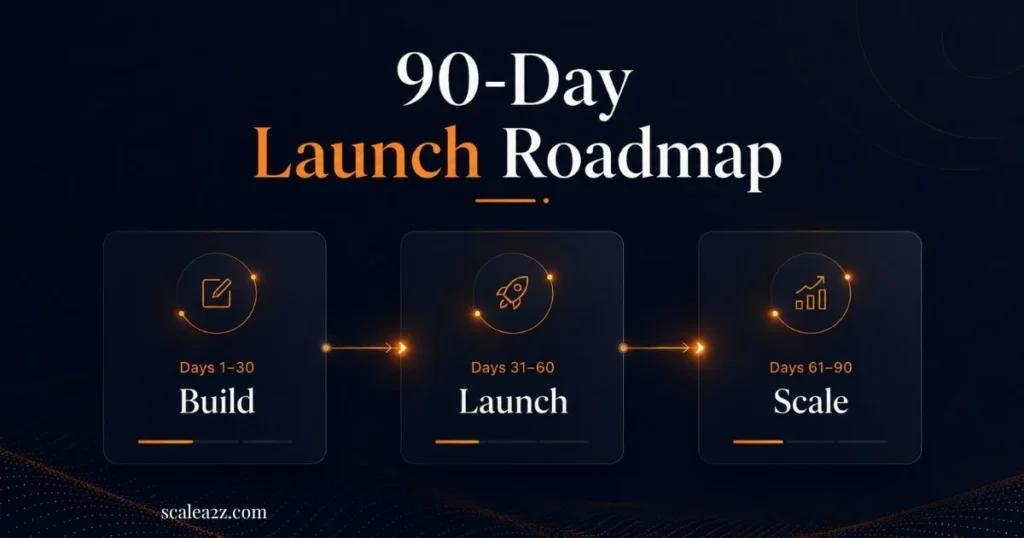
Days 1–30 — Foundation and Setup
Finalize branding, file trademark, complete Seller Central setup, source inventory, build and optimize all listings, publish Brand Store, submit Brand Registry application, and launch Sponsored Products auto campaigns on day one.
Days 31–60 — Launch and Optimize
Analyze early PPC search term data, harvest converting keywords into manual campaigns, optimize listings based on real performance, request reviews on every order, enroll in Vine, and keep a close eye on inventory levels and account health.
Days 61–90 — Scale What Works
Shift budget to best-performing campaigns, activate Sponsored Brands and product targeting ads, push for top keyword rankings, review Brand Analytics weekly, and plan your next ASIN based on customer data and market gaps.
Amazon Brand Launch Checklist
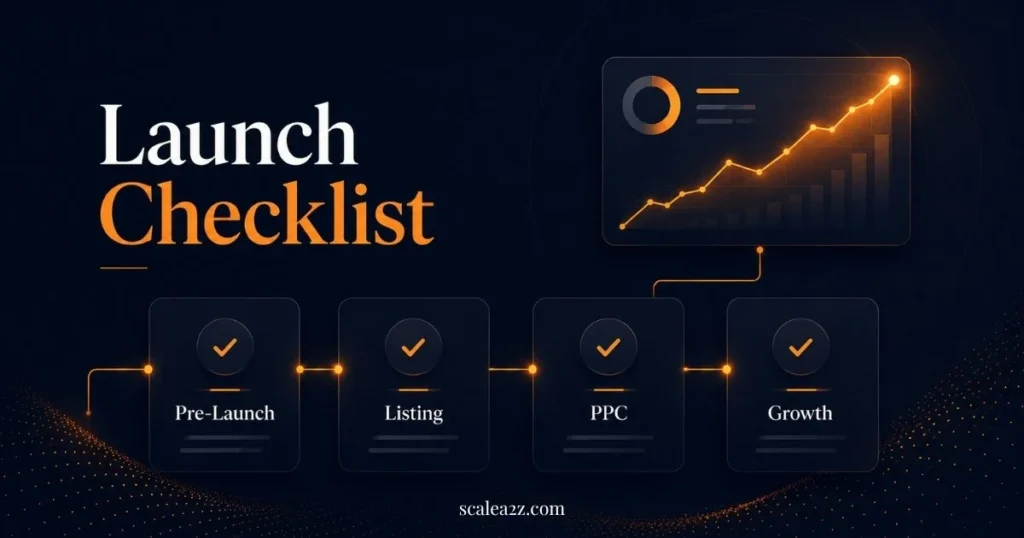
1- Pre-Launch Checklist
- Niche validated with real search volume data
- Brand name, logo, and packaging finalized
- Trademark filed (IP Accelerator or standard)
- Seller Central account lives on the Professional plan
- Brand Registry application submitted
2- Listing and Store Checklist
- Title optimized with primary keywords
- 5 benefit-focused bullet points written
- Backend keywords filled in
- Professional main image (white background)
- Lifestyle and infographic images added
- A+ Content lives on every listing
- Brand Store published and indexed
3- PPC Launch Checklist
- The Auto campaign is live with a daily budget set
- Sponsored Products (broad + exact) running
- The Sponsored Brands campaign is active
- Opening bids set conservatively
- Obvious negative keywords added upfront
4- Post-Launch Growth Checklist
- Vine enrollment submitted
- Review request sent for every delivered order
- Brand Analytics is reviewed weekly
- Search Term Report checked every 2 weeks
- Inventory reorder triggered well before stockout
How ScaleA2Z Helps You Launch on Amazon
Knowing how to launch a brand on Amazon is one thing — executing it properly while managing everything else is another challenge entirely. That’s where ScaleA2Z comes in.
Brand Launch Strategy
We work with new and growing brands to build a complete launch plan from niche validation and brand positioning to listing strategy and campaign architecture. Data, not guesswork, backs every decision.
Listing and Creative Services
From title and bullet optimization to A+ Content and Brand Store design, our team handles the creative side of your launch so your listings are built to convert from day one.
PPC Management from Day One
Our Amazon PPC management team sets up and manages your Sponsored Products, Sponsored Brands, and product-targeting campaigns with ongoing bid adjustments and performance-driven optimization so your ad spend works harder from the start.
Ongoing Account Growth
We don’t launch and leave. We monitor performance, run regular account audits, and help you identify the next move, whether that’s scaling a winning ASIN, fixing an underperforming listing, or planning your next product.
Ready to launch a brand on Amazon with a team that knows what they’re doing? Get in touch with ScaleA2Z.
Final Thoughts
Learning how to launch a brand on Amazon is not about one trick or one campaign. It is about building the right foundation before you spend heavily on inventory and ads. Start with product validation, Brand Registry, listing optimization, FBA planning, PPC, reviews, and weekly data tracking.
If you want to launch a brand on Amazon with less guesswork, ScaleA2Z can help you plan, optimize, advertise, and grow your brand with a clear step-by-step system.
Ready to launch a brand on Amazon with a clear strategy instead of guesswork?
Book Launch CallFrequently Asked Questions
What does it cost to launch a brand on Amazon?
Most first-time brand launches require between $5,000 and $15,000 to execute properly, covering inventory, branding, photography, and early advertising. You can start with less, but cutting corners usually shows in your results within the first 60 days.
Do I need Brand Registry before launching?
You don’t need it to go live, but apply as early as possible. Amazon Brand Registry gives you A+ Content, Brand Store, Sponsored Brands, brand protection tools, and Brand Analytics, all of which meaningfully impact how you compete from day one.
How many ASINs should I start with?
Start with one or two products maximum. Learn the platform, validate demand, and nail your launch before expanding. Launching too many products at once splits your focus and your budget, and neither gets the attention it needs.
What is the Amazon honeymoon period?
The honeymoon period is the early visibility window Amazon gives to newly launched products, typically 2 to 8 weeks. Converting well during this window signals to Amazon that your product deserves an organic ranking. It’s the most important phase of your entire launch.
When should I start Amazon PPC?
Start PPC on launch day, but only after your listing is fully optimized. Read our detailed guide on how to launch a new product on Amazon for a deep dive into PPC setup. Running ads to an incomplete listing is a waste of budget. Get your listing retail-ready first, then activate your campaigns.
How long does it take to rank organically on Amazon?
For most new brands, meaningful organic visibility takes 60–90 days of consistent effort, good reviews, optimized listings, and steady PPC support. Low-competition niches can rank faster; highly competitive categories take longer.