Amazon Listing Looks Great But Isn’t Converting? Here’s Why
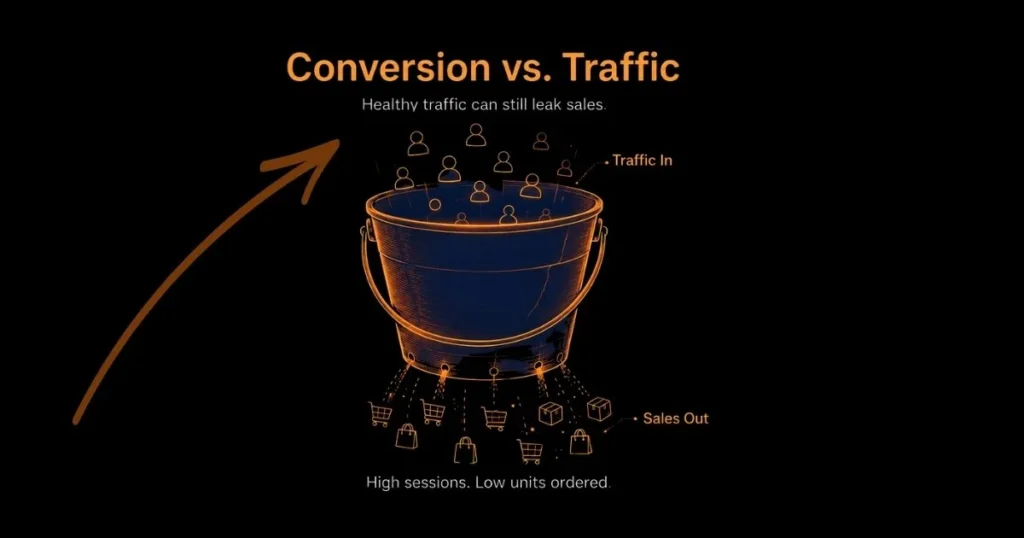
You have done everything the checklists told you to. The hero image is crisp, the bullets are clean, the A+ Content is on-brand, and your campaigns are pushing real traffic to the page. And yet the orders don’t come. The dashboard shows sessions climbing while units ordered sit flat, and you are left staring at a listing that looks like it should be selling.
Here is the uncomfortable truth most audits skip: an Amazon listing not converting is rarely a design problem. Plenty of listings look professional and still fail because they do not answer buyer objections, match search intent, prove value, or convert the specific traffic being sent to the page. A beautiful product detail page can lose buyers at every scroll if it never gives a shopper a reason to click “Add to Cart” instead of bouncing back to the search results.
This guide is written for sellers, agencies, aggregators, and operators who need to diagnose conversion problems across one ASIN or a full catalog. It is a diagnosis, not another generic optimization lecture. If you are also watching ad spend climb while revenue stalls, pair this with our breakdown of why you might be spending more on ads but not growing, because the two problems almost always travel together.
A good-looking listing fails to convert when it does not answer buyer objections, prove value with images and reviews, match the traffic’s intent, or read well on mobile. Diagnose per ASIN using Unit Session Percentage. Then fix the image stack and offer first, followed by bullets, A+ Content, reviews, and traffic quality — and confirm every change with data, not gut feel.
Not sure where your listing is leaking sales? We’ll find it.
Table of Contents
First, What Does "Converting" Actually Mean on Amazon?
Before you can fix a low Amazon conversion rate, you have to be sure you are reading the right number. This is where a surprising amount of wasted effort begins.
Conversion Rate vs. Traffic — Which Number Actually Matters?
Traffic and conversion are two different jobs. Impressions and clicks tell you whether shoppers are finding and choosing your listing in search. Conversion tells you what happens after they land. The metrics get blurred constantly, so it helps to separate them:
- Sessions — unique visits to your product detail page within a 24-hour window. One shopper who visits three times counts as one session.
- Page views — every individual load, including refreshes and repeat visits. Always higher than sessions, and the wrong basis for conversion math.
- Click-through rate (CTR) — the share of impressions that turn into clicks. A search-and-image problem, not a conversion problem.
- Units ordered — the actual purchases.
- Unit Session Percentage — Amazon’s built-in conversion rate, calculated as units ordered divided by sessions.
If your CTR is healthy but your Amazon CVR is weak, the listing is winning the click and losing the sale — which is the exact scenario this article exists to fix.
Where to Find Your Real Number in Seller Central
Your true conversion rate already lives in your account. In Seller Central, go to Business Reports → Detail Page Sales and Traffic by Child Item, then read the Unit Session Percentage column alongside Sessions and Units Ordered. The “by child item” part matters: pulling the parent-level roll-up hides the weak ASINs you are actually trying to find. For agencies, this is the difference between a real Amazon listing optimization audit and a surface skim.
What a Good Amazon Conversion Rate Looks Like in 2026
There is no universal “good” number, and chasing one is a waste of time. A healthy Unit Session Percentage depends on category, price point, review count, Prime and FBA status, traffic source, and competitor strength.
A 7% conversion rate may be weak for a low-priced replenishable product where shoppers barely deliberate, yet perfectly healthy for an expensive item with a longer buying decision. Consumables and household staples routinely convert far higher than considered, high-ticket purchases.
The right benchmark is not a blog-post average — it is three comparisons: your ASIN against its category, against its closest competitors, and against its own history. If conversion dropped after a change, you have a lead. If it has always been low, you have a structural problem.
Why a Good-Looking Listing Still Doesn't Sell
Here is the thesis the rest of this article hangs on: an Amazon listing not converting is rarely a design problem — aesthetic polish is not the same as conversion engineering. A listing can pass a visual review with flying colors and still fail to convert, because “clean” and “persuasive” are not the same thing.
A shopper landing on your product detail page is silently asking a short list of questions, and your listing either answers them or loses the sale:
- Is this product right for me?
- Can I trust it?
- Is the price fair for what I get?
- Will it actually solve my problem?
- Why should I buy this instead of the competitor one row down?
- What happens if it does not meet my expectations?
A pretty page that answers none of these converts worse than a plain page that answers all of them. The table below is the mental model we use when auditing an account — and across a client portfolio, the listings that “look fine” are precisely the ones hiding the leaks.
| Looks Good Signals | Converts Signals |
|---|---|
| Clean, high-res hero image | Image stack that answers size, use case, and objections |
| On-brand, attractive A+ Content | A+ Content that handles doubt and compares alternatives |
| Tidy, grammatically correct bullets | Benefit-led bullets that name the buyer outcome |
| A reasonable-looking price | Price that sits inside the category’s confidence band |
| A 4-star-plus rating badge | Recent, relevant reviews that mention the buying reason |
| Looks great on desktop | Readable and persuasive on mobile |
If your listing is strong on the left column and thin on the right, you have found your problem. That gap — between Amazon product detail page optimization that looks done and conversion that actually closes — is what we unpack next.
9 Real Reasons Your Listing Isn't Converting
Most of the time, an Amazon listing not converting has one or more of these nine conversion leaks.
At a glance, the nine leaks are:
- Main image earns the click but loses the sale
- Bullets describe features, not outcomes
- A+ Content decorates instead of persuading
- Price sits outside the confidence band
- Reviews are too few, old, or quiet
- Listing breaks on mobile
- Wrong traffic hitting the page
- Copy written for keywords, not shoppers
- Trust signals missing at decision point
1. Your Main Image Earns the Click But Loses the Sale
The main image has one job in search: earn the click. But once a shopper lands, the rest of the image stack has to close the sale, and this is where most listings quietly stop working. Strong sellers use every available slot to remove a specific doubt: a clear shot of the product, a size or scale reference, an in-context use-case image, a packaging or what’s-in-the-box visual, a comparison frame, and a benefit infographic.
Each image should answer one buyer’s question. Because many shoppers browse and buy on mobile, every image should be readable at thumbnail size. Tiny infographic text often disappears where it matters most.

2. Your Bullets Describe Features, Not Outcomes
Shoppers do not buy specs; they buy results. A bullet that reads “Made with stainless steel” describes a material. A bullet that reads “Stainless steel body resists rust, so it keeps working through years of daily kitchen use” describes an outcome, and outcomes convert.
The fix is a simple feature-to-benefit rewrite across every bullet: state the feature, then the benefit, then who it is for. This is one of the highest-leverage moves in Amazon listing optimization precisely because it is so often skipped in favor of keyword stuffing.
3. Your A+ Content Is Decoration, Not Persuasion
A+ Content that only looks branded is a missed opportunity. Good A+ removes doubt: it includes a comparison chart that positions you against alternatives, a use-case section that shows the product in real life, brand-trust modules, benefit-driven visuals, and explicit objection handling.
If your A+ simply restates the bullets in prettier fonts, it is not pulling its weight. A+ Content requires Amazon Brand Registry, so if a client is registered and still running thin A+, that is an easy, high-impact win to flag in the audit.
4. Your Price Sits Outside the Category's Confidence Band
Price is never judged in isolation. Shoppers weigh it against your rating, review count, brand trust, images, delivery speed, and the competitor offers sitting beside you. Every category has an unspoken confidence band — the range buyers expect to pay for a product of a given perceived quality.
Price too far above it without justification and you look greedy; too far below it and you look cheap or risky. The lever is rarely the raw number alone: a coupon, a bundle, a stronger review base, or a clearer value story can all move perceived value without a race to the bottom.
5. Your Reviews Are Too Few, Too Old, or Too Quiet
A 4.5-star badge is not automatically enough. Conversion suffers when the review count is thin, when recent reviews have gone quiet, when none of them mention the main reason someone would buy, when the same negative concern repeats, or when a competitor simply out-proves you with stronger social proof. Review recency and velocity can matter as much as the rating average.
In many cases, a product at 4.3 with fresh, relevant reviews can outperform a 4.7 listing that has gone quiet. For newer eligible ASINs, Amazon Vine can help generate early review activity from Vine Voices, but sellers should not treat it as guaranteed positive social proof.
6. The Listing Quietly Breaks on Mobile
Most sellers review listings on a desktop monitor, but many shoppers browse and buy on mobile. That mismatch hides a lot of conversion leaks. On mobile, check the first image at thumbnail size, the first 80 characters of your title (the rest gets truncated), the first three images in the stack, coupon and rating visibility, the A+ layout, and your infographic font sizes. A listing that looks sharp on desktop but feels hard to read on mobile can still lose buyers.
7. You're Attracting the Wrong Traffic
Sometimes the listing converts fine, for the wrong audience. If PPC is sending broad, loosely related, or low-intent traffic, you will see high clicks and stubbornly low orders, and the listing takes the blame for a targeting problem. Broad and auto campaigns without disciplined negatives pull in searches that were never going to buy, dragging your conversion rate down and sending Amazon a weak relevance signal at the same time. Before rewriting a single bullet, rule this out. Our guides on why Amazon PPC isn’t profitable and on cannibalization in Amazon ads walk through how to separate a traffic problem from a listing problem.
8. Your Copy Is Written for Keywords, Not Real Shoppers and Amazon AI
Keyword stuffing is no longer a safe Amazon SEO strategy, especially as Amazon shopping becomes more intent-led and AI-assisted. Amazon’s COSMO research describes a system built around user-centric shopping intent and commonsense product relationships, while Amazon has also brought Rufus and Alexa+ together into Alexa for Shopping.
For sellers, the practical takeaway is simple: your listing should answer real shopper questions clearly, not just repeat keywords.
Write for the human first. Explain use cases, materials, compatibility, sizing, the intended audience, and the problem-to-solution story. Keep backend search terms doing the quiet keyword work, but make the visible copy useful enough for real shoppers to understand why your product is the right choice.
Amazon’s product title rules also make keyword-stuffed titles risky. Titles should follow category length limits, avoid prohibited special characters, and avoid repeating the same word unnecessarily. That makes clean, readable titles better for compliance and conversion.
9. Trust Signals Are Missing at the Moment of Decision
At the point of purchase, shoppers need a final nudge of confidence. The trust signals that provide it include Prime and FBA badges, a clear return expectation, a warranty or guarantee, a credible brand story, strong and recent reviews, specific and believable product claims, a comparison chart, an FAQ that answers the real hesitation, authentic lifestyle imagery, and accurate product details that match what the images promise.
Any one of these missing at the wrong moment can be the difference between a sale and a bounce.
How to Diagnose Which Leak Is Costing You Sales
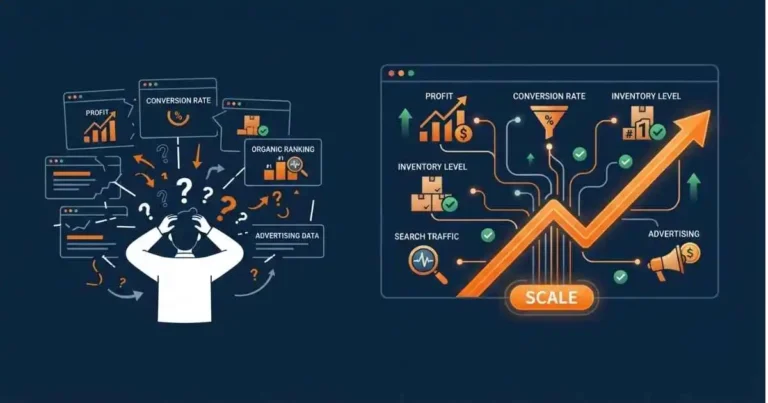
Knowing the nine reasons behind an Amazon listing not converting is not the same as knowing which one is hurting a given ASIN. Diagnosis is where the real work begins, especially when multiple ASINs have different leaks.
Read the Data Per ASIN, Not in Aggregate
Account-level averages can feel useful, but they often hide the ASIN that is actually leaking sales. One ASIN converting at 20% can mask another bleeding at 4%, and the blended number hides both. Diagnose each ASIN on its own: sessions, Unit Session Percentage, units ordered, PPC CVR, CTR, ACoS, TACoS, and organic rank movement over time.
Across a client portfolio, build a simple per-ASIN leak matrix so you can see at a glance whether a given product has a click problem, a conversion problem, or a traffic-quality problem. Brand Analytics is useful here for benchmarking against the competitors actually winning the same searches.
Run the 5-Second Mobile Test
Open the listing on a phone and give yourself five seconds. Can a buyer understand what the product is, grasp the main benefit, and judge the size in that window? Is it visibly different from the competitors? Is the first image stack convincing on its own? Is there any obvious reason to hesitate? If the answer to any of these is no, you have found a high-priority fix without touching a spreadsheet.
Confirm It With A/B Testing
Opinions can point you in the right direction, but testing proves what actually moves conversion. Use Manage Your Experiments (available with Brand Registry and enough traffic) to A/B test the main image, title, bullets, A+ Content, and — where relevant — price or coupon treatments.
Let each test gather enough sessions before you call it. This is how you turn “we think the image is the problem” into “we proved the new image lifted Unit Session Percentage.”
The Fix Framework — Highest-Impact Changes First
When everything looks broken, sequence matters. Fix the highest-impact areas first, so you do not waste time changing copy when the real problem is the image stack, offer, or traffic quality.
- Fix the image stack first. Main image, then the first three secondary images, then a size comparison, a use-case shot, a benefit infographic, and a competitor comparison frame. Images move conversion fastest.
- Fix the offer and price. Compare against competitors, then weigh a coupon, a bundle, Prime, and FBA status, delivery speed, the review gap, and any warranty or guarantee.
- Rewrite bullets for buyer outcomes. Every bullet should answer: what is the benefit, why does it matter, who is it for, and which objection does it remove?
- Turn A+ Content into a sales argument. Add a comparison chart, brand-credibility modules, use-case visuals, objection-handling sections, and genuine product education — do not just repeat the bullets.
- Strengthen reviews and trust signals. Focus on recency and rating stability, answer customer questions, address recurring review themes, and make sure your claims match reality.
- Clean the traffic quality. Audit search terms, cut wasted spend, tighten broad keywords and match types, remove irrelevant targeting, resolve keyword cannibalization, and separate branded from non-branded campaigns. Our Amazon PPC structure framework covers how to do this cleanly.
How Long Until a Fix Actually Shows Up in Sales?
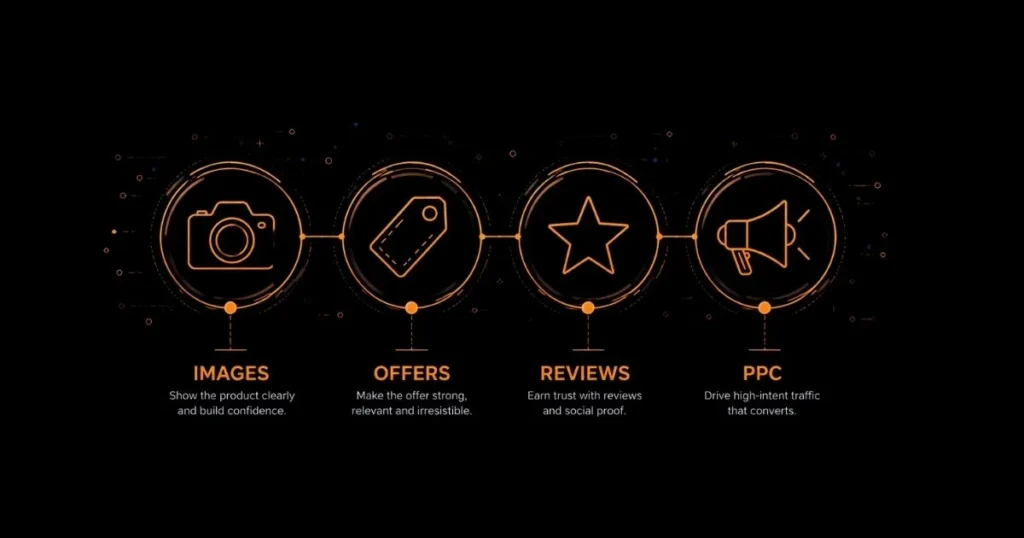
Set expectations before you change anything, or you will misread the results. Main image changes can move CTR and conversion quickly when traffic volume is high. Bullet and A+ Content changes take longer because they influence consideration rather than a snap decision.
Review and trust improvements usually take longer because they depend on fresh customer activity, review themes, and proof over time. PPC traffic cleanup shows up once the irrelevant search terms actually drop out of your data.
Most Amazon listing fixes need enough traffic before you can judge them. Do not call a change a win or a loss after a handful of clicks. Read sessions, units ordered, Unit Session Percentage, PPC CVR, and TACoS across a meaningful data window, and account for seasonality before you conclude anything.
When to Fix It Yourself vs. Bring in a Partner
Not every conversion problem needs an agency. Knowing the difference helps you avoid paying for outside help before you actually need it.
Fix it in-house when the problem is obvious: weak images, unclear bullets, a missing coupon, outdated A+ Content, poor mobile readability, or a pricing issue you can see at a glance. These are well-documented fixes, and our guide to launching a new product on Amazon covers the listing fundamentals end to end.
Bring in a partner when the problem is mixed: traffic is high, but sales are flat, ad spend is rising while TACoS refuses to improve, CTR is strong, but CVR is weak, organic rank is slipping, multiple ASINs each have a different issue, or you simply cannot isolate whether the leak is SEO, PPC, pricing, reviews, or creative.
This is exactly the kind of tangled, multi-variable diagnosis that separates a real growth partner from a reporting service — a distinction we get into in why most Amazon PPC agencies fail.
The Takeaway
If your Amazon listing is not converting, the answer is not always more traffic — it is better diagnosis. A good-looking Amazon listing is not enough. To convert, it has to answer buyer objections, prove value, match search intent, build trust at the decision point, and attract the right traffic in the first place. The sellers and agencies that win are not the ones with the prettiest pages — they are the ones who diagnose the real leak, fix the highest-impact issue first, and confirm it with data.
Your listing looks polished, but sales are still stuck? ScaleA2Z can help you diagnose the real conversion leak and fix the parts that actually move sales.
Frequently Asked Questions
Why is my Amazon listing getting traffic but no sales?
The listing is earning clicks but not giving shoppers enough confidence to buy. The cause is usually weak images, unclear benefits, an out-of-band price, too few or too old reviews, missing trust signals, or irrelevant PPC traffic. Diagnosing an Amazon listing not converting starts with Unit Session Percentage — pull it per ASIN to find the real leak.
What is a good conversion rate on Amazon in 2026?
There is no universal number. A good Amazon conversion rate depends on category, price, review count, traffic source, and offer strength. Instead of chasing one benchmark, compare your Unit Session Percentage against your category, your closest competitors, and your own ASIN history.
Does A+ Content really increase conversions?
It can, when it explains the product better, answers objections, builds trust, and helps shoppers compare options. It does little if it only repeats the claims already in your bullets. Persuasive A+ outperforms decorative A+ every time.
How do I know if my main image is the problem?
If impressions are deep but CTR is low, the main image or title is the likely culprit. If CTR is strong but Unit Session Percentage is low, the problem has moved past the main image to your secondary images, offer, price, reviews, or on-page messaging.
Can a low conversion rate hurt my organic ranking?
Yes, indirectly. When shoppers click but do not buy, Amazon sees weaker purchase performance against competing products. Better conversion supports sales velocity, improves PPC efficiency, and strengthens organic ranking over time — which is why fixing conversion is often higher-leverage than buying more clicks.
How does keyword stuffing hurt Amazon listing conversions?
Keyword-stuffed copy reads unnaturally and fails to answer the questions real shoppers are asking. Amazon’s algorithms — including semantic models and AI assistants like Rufus — now prioritize listings that explain benefits, use cases, and context in plain language. Copy written purely for keywords may rank, but won’t convert, because it never actually speaks to the buyer’s decision.