Exact vs Phrase vs Broad Match: What Actually Works for Amazon PPC in 2026?
You set up your Amazon PPC campaigns. You pick your keywords. You hit the launch. Two weeks later — ACoS is through the roof, clicks are coming in, but conversions are nowhere, and your budget is disappearing fast. Here’s the truth most sellers miss: the problem isn’t your bids. It’s your match types.
Understanding the difference between exact vs phrase vs broad match — and how Amazon match types work — is one of the most important decisions in your Amazon PPC strategy. Choose wrong and you’ll either burn a budget on irrelevant traffic or miss profitable keywords your competitors are already capturing.
In this guide, you’ll learn how each match type works in 2026, when to use each one, the mistakes to avoid, and a proven funnel strategy that brings all three together.
Table of Contents
Which Match Type Works Best in 2026?
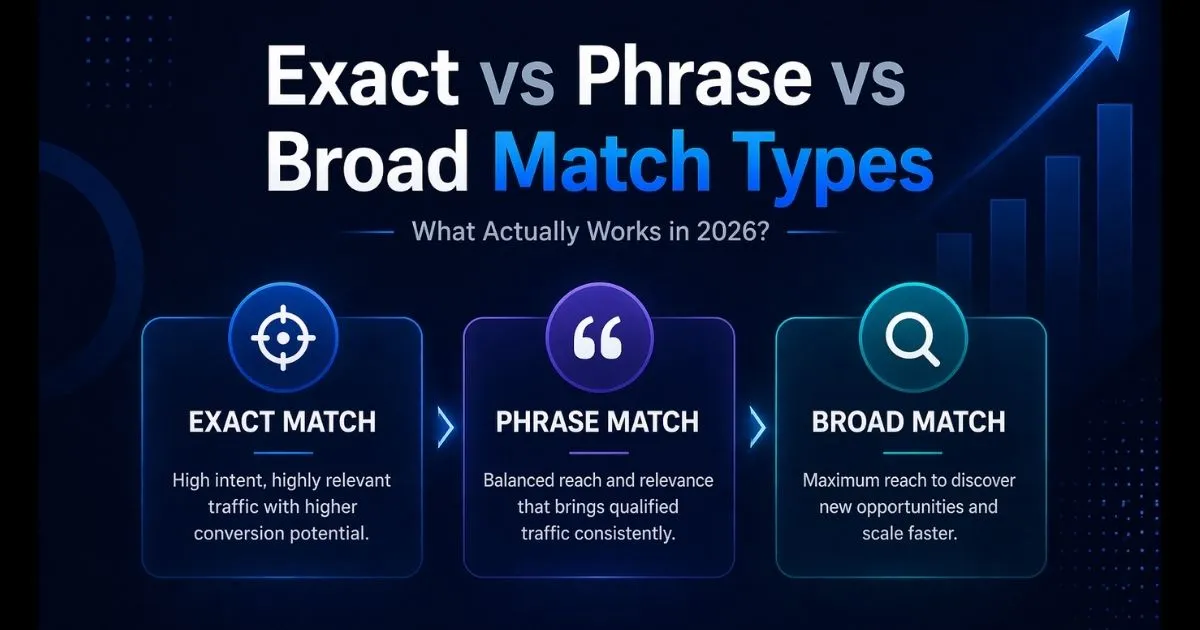
Here’s a quick breakdown of exact vs phrase vs broad match:
- Exact match = highest conversion, lowest wasted spend
- Phrase match = balance between reach and control
- Broad match = best tool for keyword discovery
- Best strategy = use all three in a structured PPC funnel
No single match type wins every situation. The sellers scaling profitably aren’t choosing one — they’re using exact vs phrase vs broad match together with purpose.
What Are Amazon Match Types?
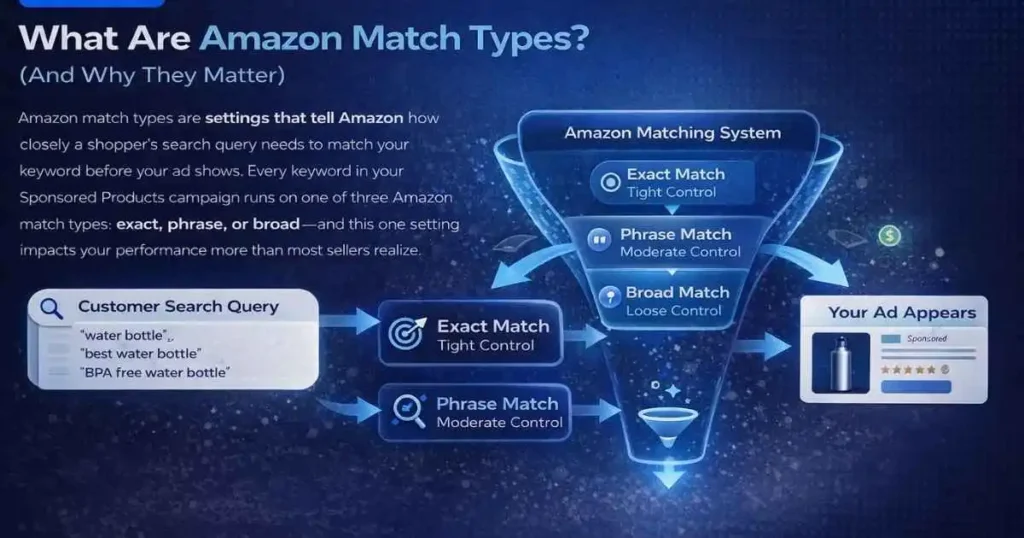
Amazon match types are settings that tell Amazon how closely a shopper’s search query needs to match your keyword before your ad shows. Every keyword in your Sponsored Products campaign runs on one of three Amazon match types — exact, phrase, or broad — and this one setting impacts your performance more than most sellers realize.
How Match Types Control Who Sees Your Ad
Inside the Amazon Advertising Console, every keyword you add needs a match type assigned. That setting becomes Amazon’s instruction for your ad. Set it to exact, and your ad only shows for that specific keyword. Set it to broad, and Amazon takes creative liberty — showing your ad for loosely related searches. Think of match types as a gate between your ad budget and the search results page. They control how wide or narrow that gate swings open.
Why the Wrong Match Type Kills Your ACoS
When your match types are too loose, you attract irrelevant clicks — someone searching for a different product clicks your ad, doesn’t buy, and your ACoS jumps. Repeat this across hundreds of clicks, and you have a serious profit problem. Too restrictive and you miss profitable search terms entirely, leaving money on the table while competitors capture that traffic. Getting your Amazon PPC match types right is the foundation of every profitable campaign.
Exact Match — Maximum Control, Minimum Waste
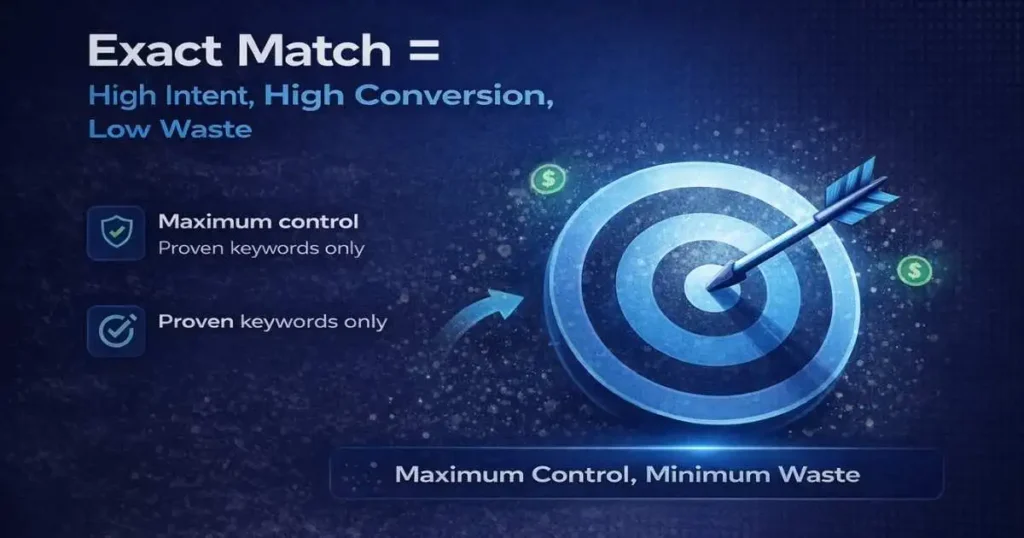
Of all three Amazon match types, exact match gives you the tightest control over your ad spend. It is built for one purpose — putting your budget in front of shoppers who are searching for exactly what you sell. When used correctly, it consistently delivers the lowest ACoS and the highest return on ad spend.
How Exact Match Works on Amazon in 2026
Exact match shows your ad only when a search query matches your keyword exactly — or is a very close variation like plurals or misspellings.
Keyword: “stainless steel water bottle”
Shows for:
- stainless steel water bottles
- steel water bottle stainless
Not for:
- best stainless steel water bottle
- insulated stainless water bottle
When to Use Exact Match (And When Not To)
An exact match is your best friend when you already know which keywords convert. These are proven terms — the data is there, conversions are happening, and now you want maximum efficiency without wasting a single click.
Use exact match when:
- A keyword has a strong conversion history
- Budget is tight, and efficiency matters
- You’re in a competitive niche where every click costs
Don’t use it when:
- Launching a new product with no data
- You’re still in keyword discovery mode
Exact Match Bidding Strategy
Proven converters deserve your highest bids. A keyword converting at 15% on exact match is worth far more than a broad term driving 10x clicks at 1% conversion. Review weekly — raise bids on converters, investigate non-converters before cutting. This makes the exact match the lowest ACoS option among Amazon match types.
Phrase Match — The Smart Scaling Layer
Once you have discovered keywords that work, phrase match is how you scale them. It sits between the strict boundaries of exact match and the wide reach of broad match — giving you room to capture real search variations without losing control of your spend. Most sellers underuse this match type, and that is a costly mistake.
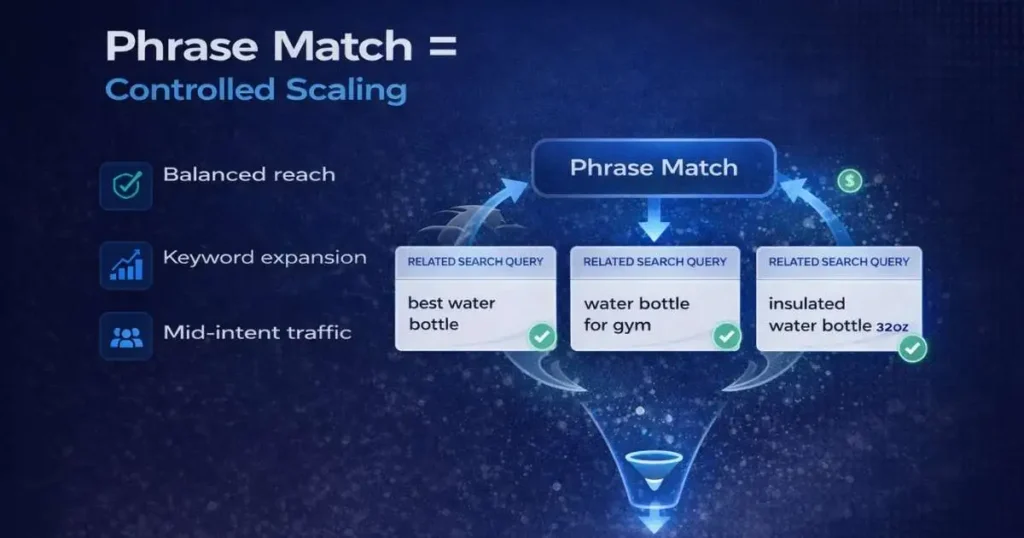
How Phrase Match Works on Amazon in 2026
Phrase match shows your ad when a search includes your keyword phrase in order, with additional words allowed before or after.
Keyword: “water bottle”
Shows for:
- best water bottle for gym
- insulated water bottle 32oz
Not for:
- bottle water (reversed)
- bottle for water sports (phrase broken)
This gives you meaningful reach while keeping targeting focused — the middle ground of Amazon PPC match types.
Best Use Cases for Phrase Match
Phrase match is where scaling happens. Once broad match identifies winning search terms, moving them to phrase gives you more control while still capturing natural search variations.
Use phrase match when:
- Scaling keywords that showed promise in broad match
- Testing mid-intent traffic before committing to the exact
- Building a full, exact vs phrase vs broad match campaign structure
Phrase Match Mistakes That Drain Budget
Running a phrase match without negative keywords is the biggest mistake. The second is campaign overlap — if your exact and phrase match keywords are too similar without negatives, you compete against yourself and drive up your own costs. Always add exact match keywords as negatives in phrase match campaigns. Phrase match plays a critical role in scaling within Amazon match types.
Broad Match — Discovery Engine (High Risk, High Reward)
Broad match is where every successful Amazon PPC strategy begins. It is the only match type that actively surfaces search terms you would never think to add manually. Used without discipline it will drain your budget fast — but with the right controls in place, it becomes your most powerful keyword research tool.
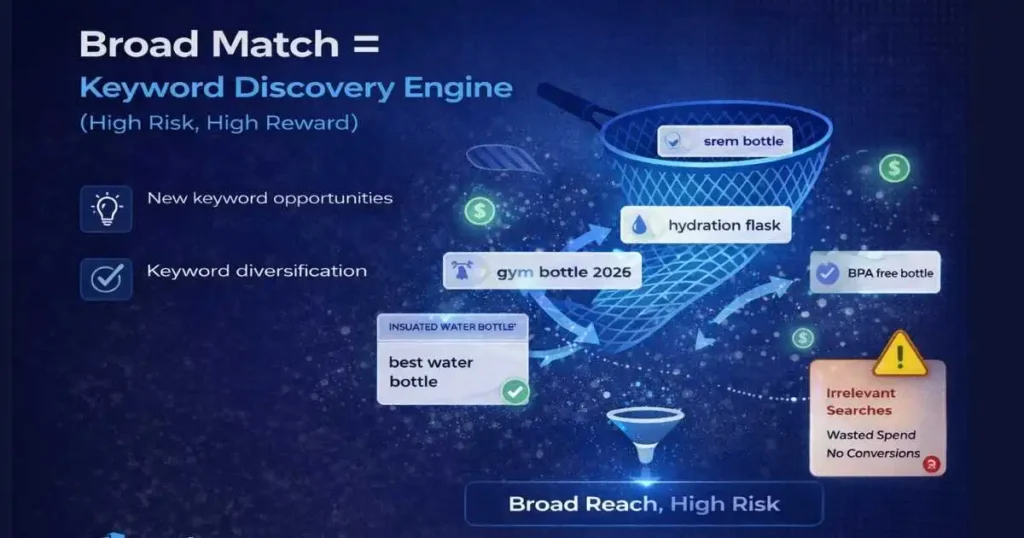
How Broad Match Works on Amazon in 2026
Broad match is Amazon’s most flexible match type. Amazon shows your ad for search queries related to your keyword in any order — including synonyms and variations it considers relevant.
Keyword: “water bottle”
Could trigger for:
- hydration flask
- gym bottle BPA-free
- best reusable bottles 2026
Wide net = powerful for discovery, dangerous without management.
When Broad Match Actually Makes Sense
Broad match earns its place at the start of your keyword research. When launching a new product, you don’t know all the ways customers search — broad match finds those hidden terms for you.
Use broad match when:
- Launching a new product with zero keyword history
- Running keyword discovery campaigns
- Building your negative keyword list
How to Control Broad Match With Negative Keywords
Running a broad match without aggressive negatives is one of the most expensive PPC mistakes. Check your Search Term Report every week. Any search term eating clicks without conversions becomes a negative keyword immediately — that’s the only way to keep broad matches profitable over time. Broad match is the most aggressive option among Amazon match types and requires strong control.
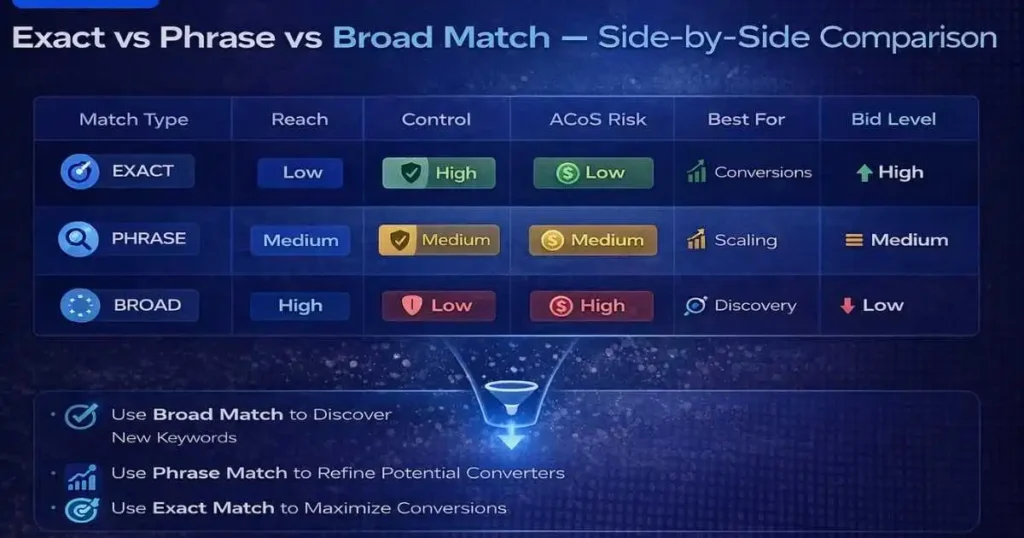
Exact vs Phrase vs Broad Match — Side-by-Side Comparison
| Feature | Exact Match | Phrase Match | Broad Match |
|---|---|---|---|
| Reach | Low | Medium | High |
| Control | High | Medium | Low |
| ACoS Risk | Low | Medium | High |
| Best For | Conversions | Scaling | Discovery |
| Bid Level | Highest | Medium | Lowest |
| Negative KWs | Rarely | Sometimes | Always |
| Campaign Stage | Mature | Growth | Launch |
| Data Required | Yes | Some | No |
Use this as your quick reference every time you build or audit a campaign. The right Amazon match type choice is never random — it’s always based on where a keyword sits in your funnel.
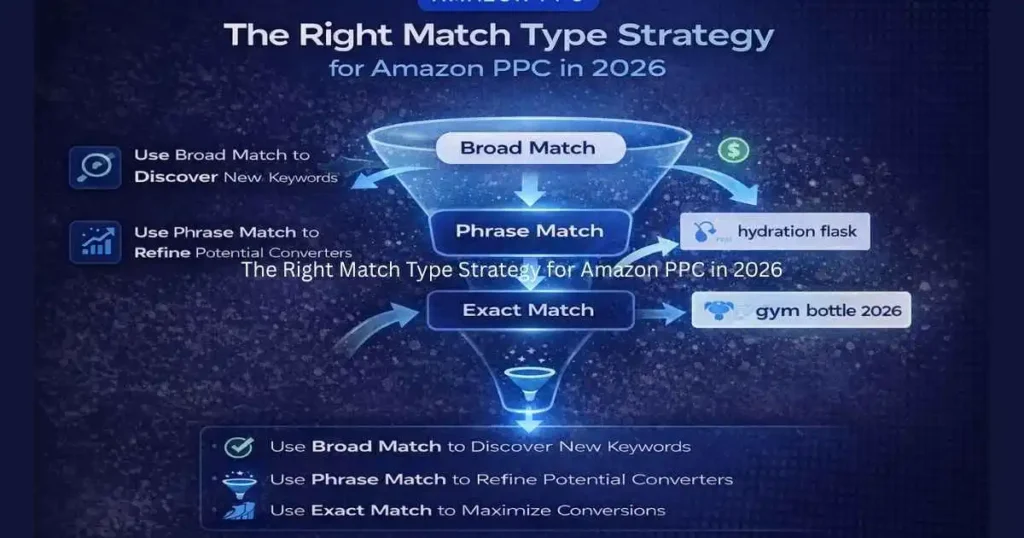
The Right Match Type Strategy for Amazon PPC in 2026
The sellers who consistently win don’t argue over which match type is best — they build a funnel that uses all three in the right sequence.
Start With Broad, Harvest With Search Term Report
Every profitable keyword starts as an unknown. Launch broad match campaigns at controlled, lower bids. Run for 2–4 weeks, then open your Search Term Report and identify:
- Search terms that generated sales or strong CTR → future keywords
- Search terms that wasted clicks with zero conversions → future negatives
This is your discovery phase. Broad match does the research you can’t do manually.
Move Winners to Phrase or Exact Match
Once search terms prove themselves, graduate them:
- High volume proven converters → Exact match, strong bids
- Good performance with variations → Phrase match for controlled scaling
Simultaneously, add every irrelevant search term as a negative. Your broad match campaigns get leaner and more efficient over time.
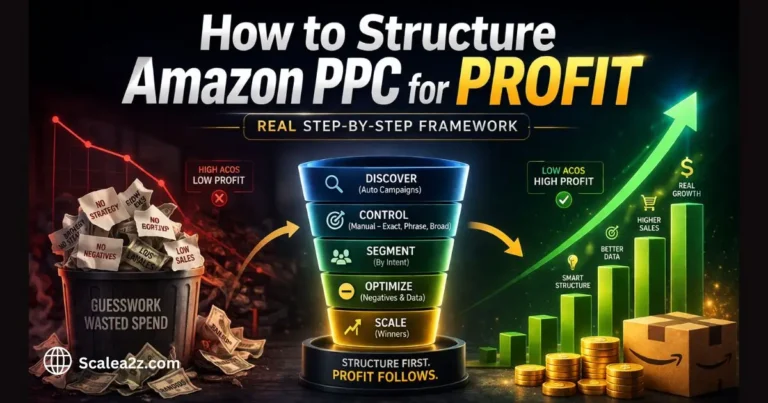
The Full PPC Funnel
- BROAD MATCH ↓ Discover + Filter Negatives
- PHRASE MATCH ↓ Scale + Control Variations
- EXACT MATCH ↓ Max Bids on Proven Converters
This three-layer structure of Amazon PPC match types means you’re always discovering, scaling, and profiting — simultaneously. Mastering Amazon PPC match types at this level is what separates profitable sellers from those who just break even.
Common Match Type Mistakes Amazon Sellers Make
Even experienced sellers get match types wrong. The mistakes are rarely obvious — they show up slowly in rising ACoS, stagnant sales, and campaigns that never seem to improve no matter how much you tweak bids. Here are the four most common match type mistakes and exactly what they cost you.
Running Only Exact Match
Safe but limiting. Without broad or phrase feeding new keywords in, your list never grows, and competitors discover search terms you never will.
Running Only Broad Match
Without weekly Search Term Report reviews and aggressive negatives, broad match becomes an open budget drain. Every irrelevant click is money gone.
Ignoring Negative Keywords Across All Match Types
Negatives aren’t just a broad match requirement. Even phrase match campaigns need regular additions. Skipping this inflates ACoS silently.
Not Separating Match Types Into Different Campaigns
Mixing all three in one campaign makes optimization impossible. You lose control over budgets, bids, and performance data. Always keep match types in separate campaigns.
How ScaleA2Z Manages Match Types for Better Results
Managing exact vs phrase vs broad match manually across multiple campaigns is time-consuming — especially as your catalog grows.
At ScaleA2Z, our Amazon PPC management approach is built around structured, data-driven campaign management:
- Continuous Search Term Harvesting — regularly pulling data to find new keyword opportunities
- Data-driven keyword movement — graduating terms from broad to phrase to exact based on real performance
- Bid optimization per match type — each layer gets bids calibrated to its role
- Structured campaign funnels — match types separated for clean data and precise control
The result is campaigns that get smarter and more profitable every month.
Conclusion
Exact, phrase, and broad match are not competing options — they are three tools that work best together. Use broad match to discover what your customers search for. Use phrase match to scale keywords that show promise. Use exact match to focus your budget on terms proven to convert.
Sellers who master exact vs phrase vs broad match don’t just lower their ACoS — they build campaigns that improve every single month. That’s the difference between PPC that drains your profits and PPC that drives real, sustainable growth.
If your campaigns are wasting budget right now, it’s not your ads — it’s your structure. Most sellers don’t lose money because of ads — they lose because of poor structure.
👉 Visit ScaleA2Z for expert Amazon PPC management and let us build the match type strategy your account actually needs.
Frequently Asked Questions
What is the difference between exact vs phrase vs broad match in Amazon match types?
Exact match shows your ad only when a shopper’s search query matches your keyword exactly or is a very close variation. Phrase match shows your ad when the search includes your keyword phrase in order, with possible extra words before or after. Broad match shows your ad for loosely related searches, synonyms, and variations that Amazon considers relevant. Each type offers a different level of reach and control — and each serves a different role in your campaign strategy.
Which Amazon match type has the lowest ACoS?
Exact match typically delivers the lowest ACoS because it targets only proven, high-intent search terms with no room for irrelevant clicks. However, it only works well when you already have conversion data behind a keyword. Running an exact match on unproven keywords without prior research will not automatically lower your ACoS.
Should I use broad match for a new product launch?
Yes — broad match is the right starting point for new product launches when you have no historical keyword data. It helps you discover the actual search terms customers use to find products like yours. The key is discipline: review your Search Term Report every week and add irrelevant terms as negatives consistently to keep spending under control.
How many match types should I use in one campaign?
Always keep each match type in its own separate campaign. Mixing exact, phrase, and broad match in one campaign makes it nearly impossible to control budgets by layer, accurately compare performance, or set the right bids for each match type’s role in your funnel.
What are negative keywords, and how do they affect match types?
Negative keywords block your ad from showing for specific search terms. They are non-negotiable for broad match, important for phrase match, and occasionally needed for exact match. Without a solid negative keyword strategy, even well-structured campaigns will bleed budget on irrelevant traffic.
Does Amazon match the type strategy change in 2026?
The core logic stays the same, but Amazon’s broad match algorithm has grown more aggressive in expanding keyword reach in recent years. In 2026, this makes Search Term Report reviews and negative keyword management more critical than ever. Sellers who stay on top of their match type structure consistently outperform those running set-and-forget campaigns.