7 Amazon PPC Mistakes Killing Your Profit
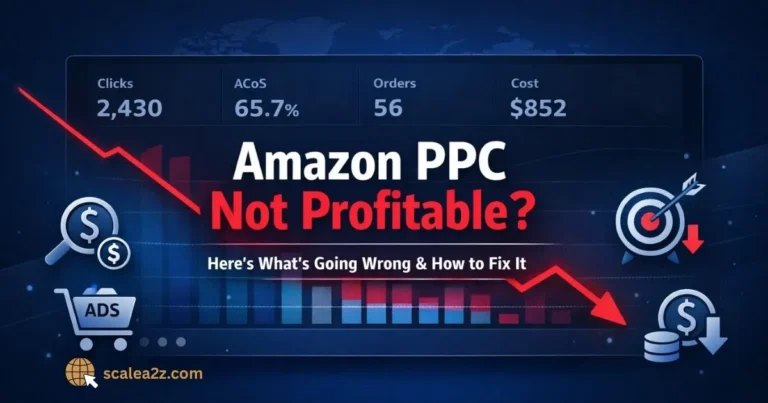
Your ad sales are climbing. Your ACoS looks healthy. The dashboard is green. And yet, when you tally up what actually landed in your bank account this month, the number barely moved, or it shrank.
If that sounds familiar, you’re not imagining it, and you’re not alone. Most sellers don’t lose money because Amazon PPC doesn’t work. They lose money because a handful of small, easy-to-miss Amazon PPC mistakes quietly push ACoS up, leak ad spend into the wrong places, and chip away at real profit one click at a time. None of these errors is dramatic. That’s exactly why they go unnoticed for months.
Below are the seven mistakes we see most often drain profit, why each one is so easy to make, and a clear fix you can apply this week. A few you’ve probably read about before — but the angle here is profit, not just spend, because a campaign can quietly waste money even while every “spend” metric looks fine.
A profitable Amazon PPC strategy should connect every bid, keyword, and campaign decision back to margin — not just ad sales.
Which Amazon PPC Mistakes Hurt Profit Most?
The Amazon PPC mistakes that hurt profit most are: optimizing for ACoS while ignoring TACoS and product margin, bidding without knowing your break-even ACoS, using flat bids that ignore placement data, judging keywords before they have enough data, sending paid clicks to listings that can’t convert, leaning too hard on auto and branded campaigns that inflate results, and running a messy campaign structure with weak negative keywords.
Each one looks harmless on its own. Together, they’re the difference between ads that fund growth and ads that quietly eat your margin. The good news is that most of these Amazon advertising mistakes are completely fixable once you can actually see them.
7 Amazon PPC Mistakes Draining Your Profit
Before you increase the budget, check whether these Amazon PPC mistakes are already leaking profit from your campaigns. Each mistake below shows the profit damage, the metric to check, and the fix you can apply before scaling.
Chasing ACoS, Ignoring TACoS
ACoS (Advertising Cost of Sales) measures only the portion of revenue generated by ads. It tells you how a single campaign performed, but nothing about your business as a whole. TACoS (Total Advertising Cost of Sales) measures spend against your total revenue — paid and organic combined — and that’s the number that actually reflects health.
Here’s how the trap springs. A campaign shows a tidy 25% ACoS and looks great, so you leave it running. But if it’s bidding on terms you already rank for organically, you’re paying for sales you’d have won for free. The campaign metric stays pretty while your TACoS creeps up, and organic margin quietly slips. This is the exact pattern behind spending more on ads without growing — the spend rises, the topline holds, and the money disappears.
Worse, the metric alone never tells you whether you actually made anything, because it ignores your real profit margin. If your contribution margin after COGS, the Amazon referral fee, and FBA fees is 30%, then a 30% ACoS means you broke even on that sale — before overhead. It’s also why a figure that looks fine can still hide a high ACoS problem on thin-margin products: 25% seems healthy until you remember your margin is only 22%.
What to track instead: Track TACoS month over month as your real efficiency signal, and always read ACoS against your margin, not against an arbitrary “good” number someone posted online.
Bidding Without Break-Even ACoS
Most sellers set bids on gut feel or a competitor’s screenshot. The number they’re missing is their break-even ACoS — and it’s simple: it equals your contribution margin percentage.
Say you keep $12 on a $40 product after product cost, the referral fee, and fulfillment. Your margin is 30%, so your break-even ACoS is 30%. Spend more than that on an ad sale, and you lose money on it; spend less, and you keep the difference. Without that single number, every bid is a guess, and your bid optimization becomes a coin toss.
How to set safer bids: Calculate break-even ACoS for each product, then set a target ACoS comfortably below it that protects the profit margin you actually want — tighter for mature products you’re running for cash, looser for launches where you’re buying rank. Then adjust your bids to chase that target, not a vanity figure. Profit-first bid optimization means your bids should follow margin, conversion rate, and keyword intent — not emotion, competitor pressure, or random daily changes.

Flat Bids, Ignoring Placement Data
One of the most overlooked Amazon PPC mistakes is treating all placements the same. Amazon shows your Sponsored Products ad in three very different places — top of search, rest of search, and product pages — and they convert at very different rates. Top of search usually converts best but carries the highest cost per click (CPC); product-page placements are often cheaper but noisier.
A flat bid treats all three identically, so you either overpay for weak placements or underbid the one spot that actually drives profitable sales. The same placement logic applies whether you’re running Sponsored Products, Sponsored Brands, or Sponsored Display.
What to adjust: Pull the placement report from the Amazon Advertising Console in Seller Central, see where each campaign genuinely converts, and use placement bid adjustments to push budget toward the spots that earn and away from the ones that don’t. This kind of placement optimization is one of the fastest ways to recover margin without touching your keywords. If conversion spikes on certain days or hours, layer in dayparting so you’re not paying a full CPC when buyers aren’t around.
Judging Keywords Too Early
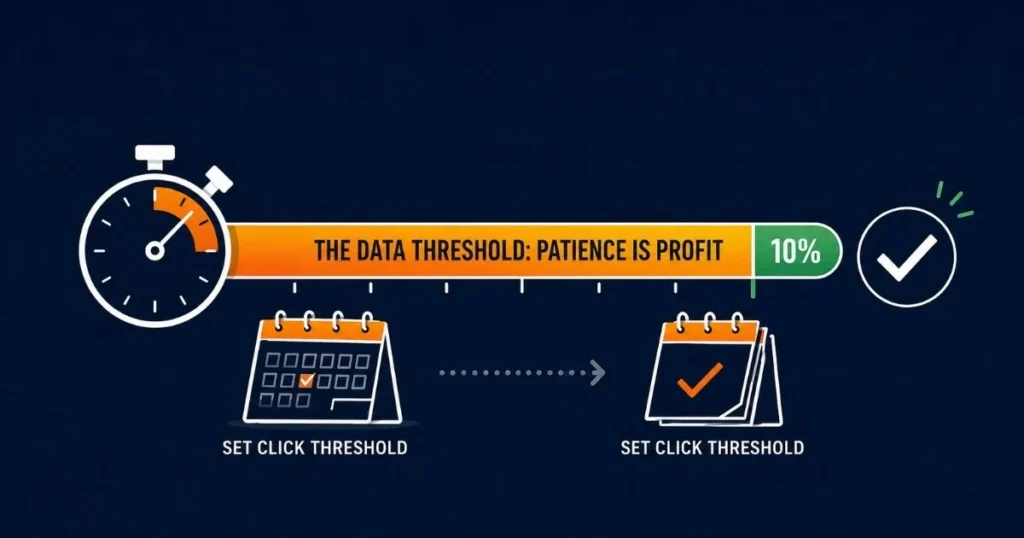
A keyword gets four clicks, no sales, and the seller pauses it. Or it gets one lucky sale, and they double the bid. Both are guesses dressed up as decisions. Conversion rate needs a meaningful sample before it means anything — pausing on five clicks is like calling a coin biased after two flips.
How to judge keywords properly: Set a decision threshold tied to your conversion rate. If your listing converts at roughly 10%, give a keyword around 10–15 clicks before you judge it. Read your search term report — and cross-check it against research tools like Helium 10 or Jungle Scout — to separate search terms from targets.
Then keep harvesting the winners: move proven converters into exact-match campaigns where you control what you pay, push promising-but-unproven terms into phrase or broad match for more data, and add the duds as negatives. This kind of steady keyword harvesting, paired with the click-through rate (CTR) and conversion data in your Search Query Performance report inside Amazon Brand Analytics, turns raw spend into a feedback loop. Match types exist for exactly this reason. Patience here is literally profit — you’re paying for the data, so don’t throw it away before it’s worth anything.
Sending Clicks to Weak Listings
The most expensive PPC mistake often isn’t in your campaigns at all — it’s in the listing the clicks land on. You can have flawless targeting and disciplined bids, but if your main image, title, price, or reviews don’t convert — or you aren’t winning the Buy Box — you’re paying for traffic that bounces.
Every click that lands on a low-converting listing pushes your ACoS up and drags down your return on ad spend (ROAS). Over time, weak conversion can also make your listing look less competitive, which limits how much value you get from paid traffic.
This is where PPC and listing quality meet, and we covered it in depth in Amazon SEO mistakes 90% of sellers make. Ad spend amplifies whatever your page already does — good or bad.
What to improve first: Check the conversion rate before you scale the budget. If CVR is below your category norm, fix the listing first. Scaling spend on a page that can’t convert just buys more expensive disappointment.
Overusing Auto and Branded Campaigns
Overusing auto and branded campaigns is an Amazon PPC mistake that hides behind great-looking numbers — both have their place, but they’re the two easiest ways to make PPC look more profitable than it really is.
Auto campaigns are excellent for discovery, but many sellers park their budget in them indefinitely and let Amazon spend it with little oversight — which is precisely how auto campaigns quietly waste a large share of the ad budget. Branded campaigns carry a subtler problem: bidding on your own brand name often captures sales you’d have won organically anyway.
The ACoS looks fantastic, but as some advertisers have pointed out, branded search can artificially inflate your reported performance, trading real profit for revenue you already own. The same trap appears when ads cannibalize your organic rankings — something we broke down in cannibalization in Amazon Ads.
How to control the spend: Use auto campaigns as a research tool on a capped budget with aggressive negative-keyword harvesting, and size branded spend deliberately enough to defend your terms from competitors poaching them, not so much that you’re paying for traffic that was already yours.
Messy Structure and Weak Negatives
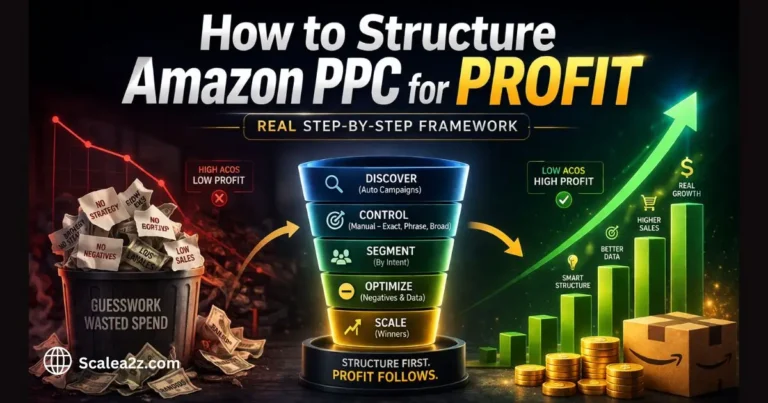
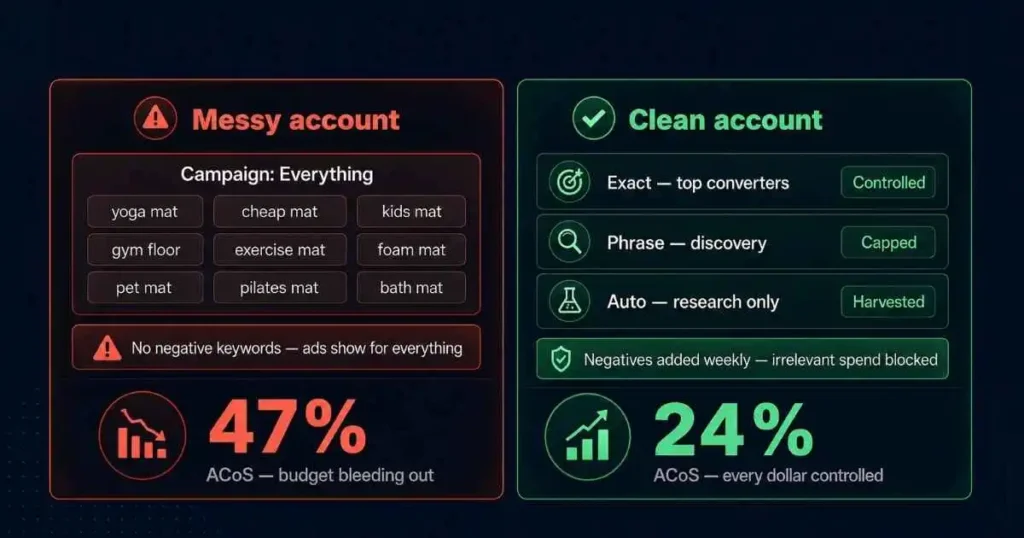
When every product, match type, and keyword gets dumped into a few sprawling campaigns, you lose the one thing profitable PPC depends on: control. You can’t set the right bid for a keyword buried among fifty others, and you can’t tell what’s working when budgets bleed across themes.
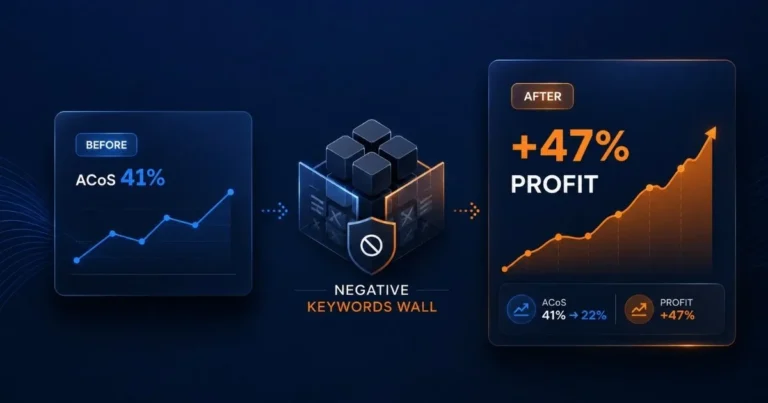
Weak negative keywords make it worse — without them, your ads show for irrelevant searches, and you pay for clicks that will never convert.
How to clean it up: Give your account a deliberate Amazon PPC campaign structure where each campaign has one clear job and its own budget. Sensible budget allocation is impossible when everything is tangled together.
We lay out the full approach on how to structure Amazon PPC for profit. Then, build a regular negative-keyword routine by mining your search term report — our search term mining workflow walks through the exact process. Clean structure plus disciplined negatives is the cheapest profit you’ll ever recover.
Quick PPC Profit-Leak Checklist
Run any account through this in ten minutes. Each unchecked box is a likely leak.
- You know your break-even ACoS (your contribution margin %) for every product.
- You track TACoS month over month, not just campaign-level ACoS.
- You’ve set placement bid adjustments based on the placement report.
- You have a click threshold before pausing or scaling any keyword.
- Your conversion rate is at or above your category norm before you scale spend.
- Auto campaigns are capped and harvested, not left on autopilot.
- Branded spend is sized to defend your terms, not to pad your numbers.
- Every campaign has one clear job and a sensible budget allocation.
- You add negative keywords from the search term report every week or two.
- Top converters are moved into controlled exact-match campaigns.
If you ticked fewer than seven, you almost certainly have profit leaking right now — and most of these are same-day fixes.
14-Day PPC Profit-Recovery Sprint
You won’t fix everything in two weeks, but you can stop the worst of the bleeding and leave behind a structure that keeps paying off.
Days 1–4 — Measure. Calculate break-even ACoS for your top products. Pull 60–90 days of data and note your TACoS, then identify your three biggest campaigns by ad spend. Download the search term and placement reports from Seller Central for each.
Days 5–9 — Cut the obvious leaks. Add negative keywords for irrelevant search terms. Pause keywords with enough clicks and no conversions. Apply placement bid adjustments toward your best-converting spots. Cap and tighten any auto campaigns running wide open.
Days 10–14 — Rebuild for control. Move proven converters into exact-match campaigns with their own budgets. Reset bids on remaining keywords toward your target ACoS. Right-size branded spend. Then set a recurring reminder to review search terms every two weeks so the leaks don’t creep back.
How a Profit-First PPC Process Improves Results
Everything above is doable on your own — and the reason these mistakes persist is rarely knowledge. It’s time and consistency. Bids drift, search terms pile up, and margins shift while you’re busy running the rest of the business.
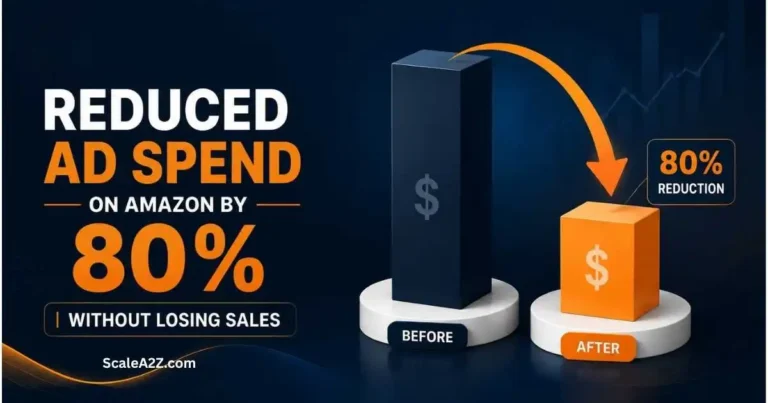
That’s the gap a managed process closes. At ScaleA2Z, our Amazon PPC management is built around profit rather than vanity metrics. In practice, that means continuous Amazon PPC optimization: we read ACoS against each product’s margin, treat TACoS optimization as the real efficiency goal, and keep structure and negatives clean so spend stays where it converts.
To do that consistently at scale, we lean on AI-driven data analysis — including tools like Scale Insights — to guide bid adjustments and surface the search-term and placement patterns that are easy to miss by hand.
It isn’t a magic button; it’s disciplined optimization applied without gaps — which is exactly what most accounts are missing, and exactly how wasted ad spend compounds when no one’s watching. (Choosing the right partner matters too — we wrote about why most Amazon PPC agencies fail if you’re weighing up outside help.)
The Bottom Line on Your Ad Profit
None of these seven Amazon PPC mistakes is exotic. That’s the whole point — they’re ordinary, they hide behind green dashboards, and they cost real money precisely because they look fine on the surface. The sellers who win aren’t the ones with secret tactics; they’re the ones who tie every bid to margin, keep their structure clean, and review their search terms before the waste piles up.
Pick the two or three leaks that feel most familiar, run the 14-day sprint, and watch what happens to your profit — not just your ad sales. And if you’d rather have a second set of eyes find the leaks for you, book a free audit, and we’ll show you exactly where your ad spend is going.
Frequently Asked Questions
What is a good ACoS for Amazon PPC?
There’s no universal number. A “good” ACoS is any figure below your break-even point that still leaves the profit you want. If your contribution margin is 30%, a 30% ACoS means you broke even on that sale. Mature products are often run at a tighter ACoS to bank profit, while launches may run higher to buy rank.
Always judge it against your own margin, not a benchmark from someone else’s account. Some sellers prefer ROAS, which is simply the inverse of ACoS — either works, as long as you anchor it to margin.
How do I reduce wasted ad spend on Amazon?
Start with negative keywords from your search term report, since irrelevant clicks are the most common leak. Then pause keywords that have enough clicks but no conversions, apply placement bid adjustments toward your best-converting spots, and make sure paid traffic lands on a listing that actually converts. Most wasted ad spend traces back to targeting, bids, or a weak listing — and a high ACoS is usually the symptom that one of those three is off.
What is the difference between ACoS and TACoS?
ACoS measures ad spend against sales generated by ads only, so it reflects campaign performance. TACoS measures ad spend against your total revenue, including organic, so it reflects overall business health. ACoS tells you how a campaign is doing; TACoS tells you whether your ads are supporting organic growth or quietly replacing it.
Should I use auto or manual campaigns?
Both have different jobs. Auto campaigns work best as a discovery tool to surface new converting search terms — kept on a capped budget with regular negative harvesting. Manual campaigns, especially exact match, are where you take the winners from your auto campaigns, surface and control your bids for profit. Relying only on auto means giving up control; relying only on manual means missing new keyword opportunities.
How often should I review my Amazon PPC campaigns?
At a minimum, review your search term report and bids every one to two weeks. High-spend campaigns may need attention more frequently, weekly or even twice a week, during peak seasons. The goal isn’t constant tinkering; it’s catching irrelevant spend and pausing underperformers before the waste compounds. A consistent review cadence is what separates accounts that stay efficient from those that slowly drift into wasted ad spend.
What is a good TACoS for Amazon sellers?
A healthy TACoS depends on your category, margin, price point, and growth stage. Established products usually need a lower TACoS because the goal is profitability, while launches may tolerate a higher TACoS temporarily if the spend is helping build rank and organic sales.
The key signal is direction if TACoS trends down while total sales hold or grow, your ads are supporting the business and building organic momentum. If TACoS rises while organic sales stay flat, your ads may be replacing organic revenue instead of adding to it.